Streamable HTTP
Connect to an MCP server via streamable HTTP.
About streamable HTTP
Agentgateway automatically manages stateful MCP sessions when using HTTP-based transports. The session state (including backend pinning) is encoded in the session ID and persisted across requests, ensuring that subsequent tool calls in the same session are routed to the same backend server.
  sequenceDiagram
    participant Client
    participant Agentgateway
    participant MCP Server

    Client->>Agentgateway: initialize (no session)
    Agentgateway->>MCP Server: initialize
    MCP Server-->>Agentgateway: initialized
    Note over Agentgateway: Pin session to backend<br/>Encode state into session ID
    Agentgateway-->>Client: Mcp-Session-Id: encrypted-state-abc123

    Client->>Agentgateway: call_tool (with session ID)
    Note over Agentgateway: Decode session ID<br/>Route to pinned backend
    Agentgateway->>MCP Server: call_tool (same server)
    MCP Server-->>Agentgateway: tool result
    Agentgateway-->>Client: result
- Session initialization: When a client sends an
initializerequest, agentgateway creates a session and returns a session ID - Backend pinning: The session is pinned to a specific backend server (important when using multiple targets)
- State encoding: The session state is encoded into the session ID using AES-256-GCM encryption
- Session resumption: Subsequent requests with the same session ID are automatically routed to the same backend
Before you begin
Install theagentgateway binary.Configure the agentgateway
Spin up an MCP server that uses streamable HTTP.
PORT=3005 npx -y @modelcontextprotocol/server-everything streamableHttpCreate a configuration for your agentgateway to connect to your MCP server. Make sure to expose the
Mcp-Session-Idheader in the CORS configuration for session persistence.cat <<EOF > config.yaml # yaml-language-server: $schema=https://agentgateway.dev/schema/config binds: - port: 3000 listeners: - routes: - policies: cors: allowOrigins: - "*" allowHeaders: - "*" exposeHeaders: - "Mcp-Session-Id" backends: - mcp: targets: - name: mcp mcp: host: http://localhost:3005/mcp/ EOFRun the agentgateway.
agentgateway -f config.yaml
Verify access to tools
Open the agentgateway UI to view your listener and backend configuration.
Connect to the MCP test server with the agentgateway UI playground.
From the navigation menu, click Playground.
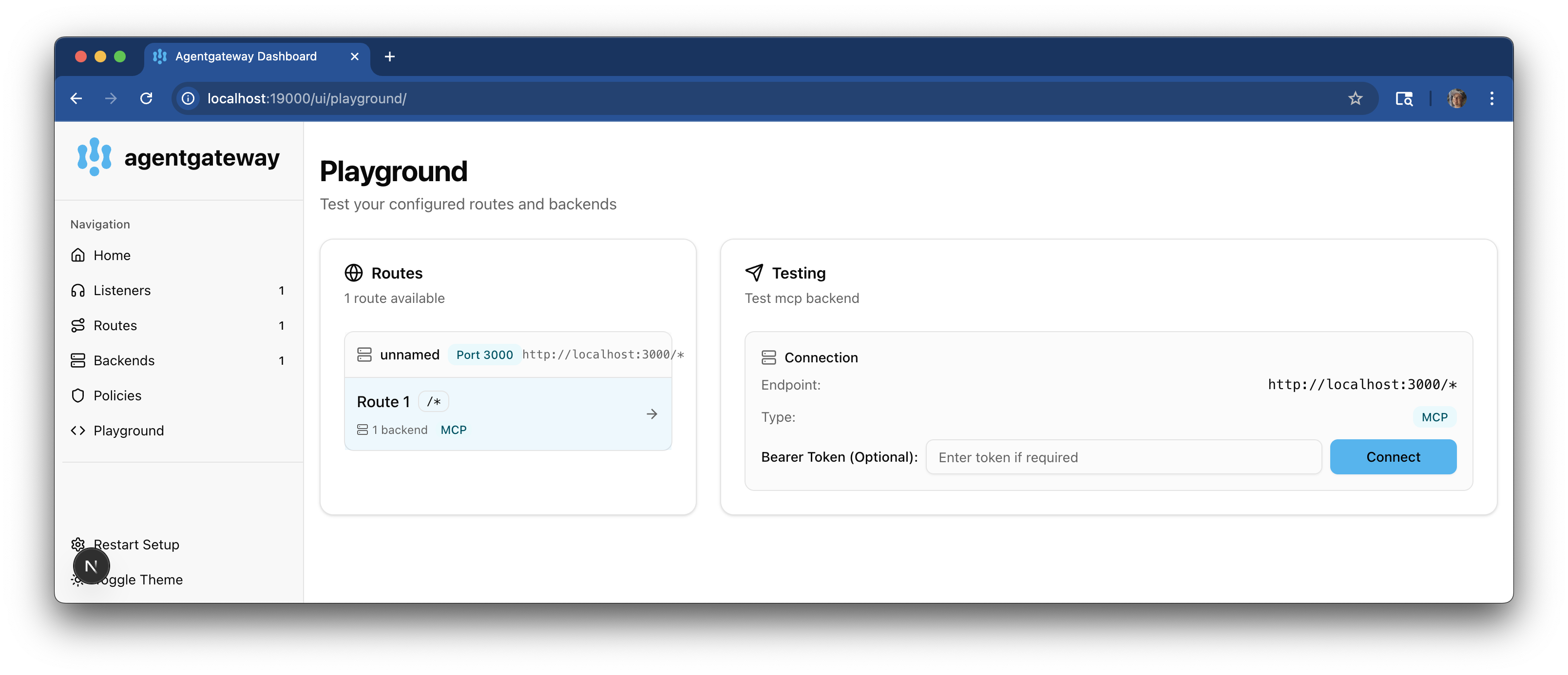
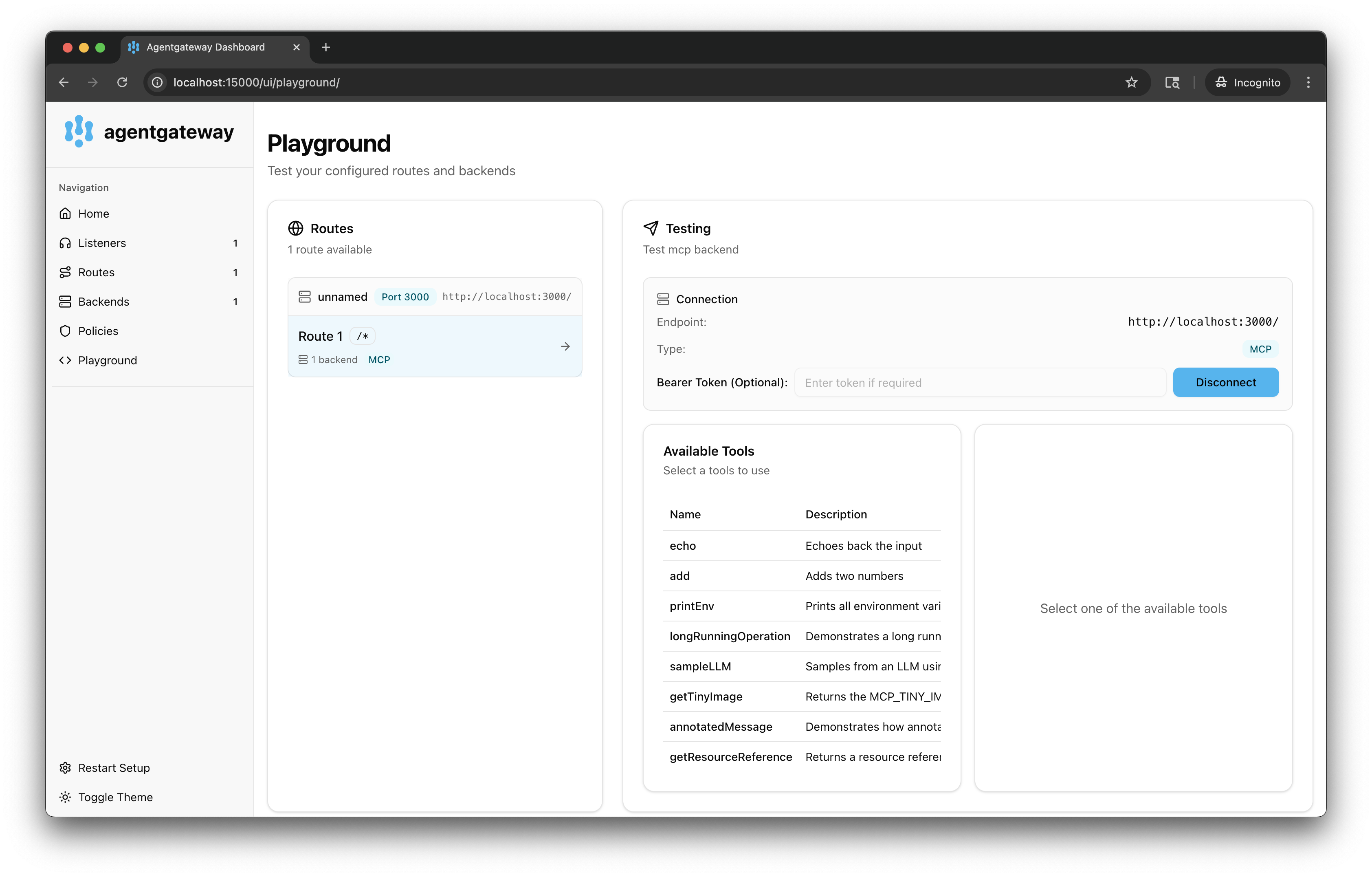
In the Testing card, review your Connection details and click Connect. The agentgateway UI connects to the target that you configured and retrieves the tools that are exposed on the target.
Verify that you see a list of Available Tools.
Verify access to a tool.
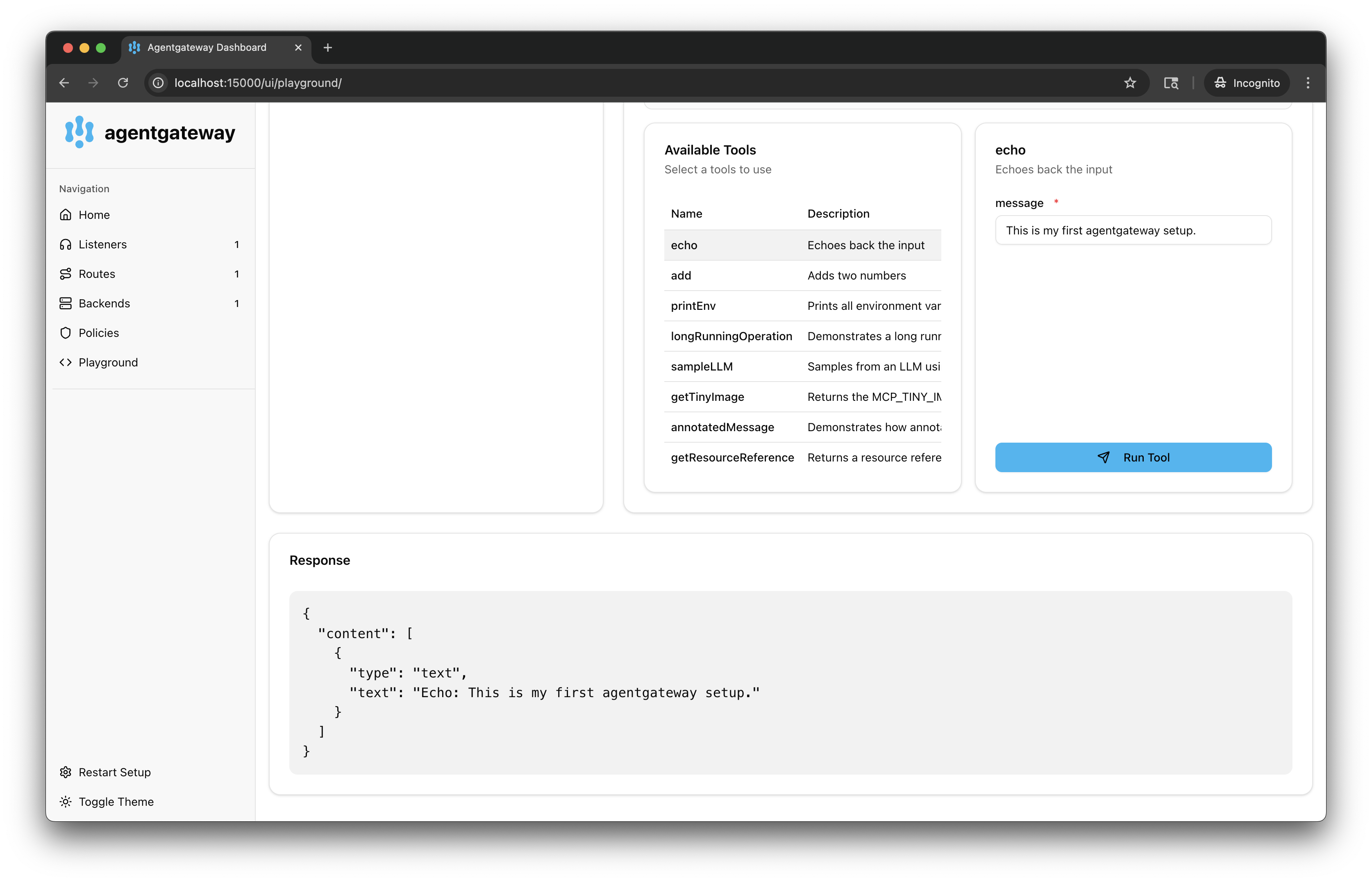
From the Available Tools list, select the
echotool.In the message field, enter any string, such as
This is my first agentgateway setup., and click Run Tool.Verify that you see your message echoed in the Response card.