Basic MCP Server
Get up and running with Agent Gateway in under 2 minutes.
What you’ll build
In this tutorial, you’ll:
- Install and run Agent Gateway
- Connect to a sample MCP server with demo tools
- Use the Admin UI to explore your configuration
- Test tools in the built-in Playground
Prerequisites
- Node.js installed (for the MCP server)
Step 1: Install Agent Gateway
curl -sL https://raw.githubusercontent.com/agentgateway/agentgateway/refs/heads/main/common/scripts/get-agentgateway | bashStep 2: Download the example config
curl -sL https://raw.githubusercontent.com/agentgateway/agentgateway/main/examples/basic/config.yaml -o config.yamlStep 3: Start Agent Gateway
agentgateway -f config.yamlYou should see:
INFO agentgateway: Listening on 0.0.0.0:3000
INFO agentgateway: Admin UI available at http://localhost:15000/ui/
Step 4: Open the UI
Open your browser and go to http://localhost:15000/ui/
You’ll see the Agent Gateway dashboard showing your configured listeners:
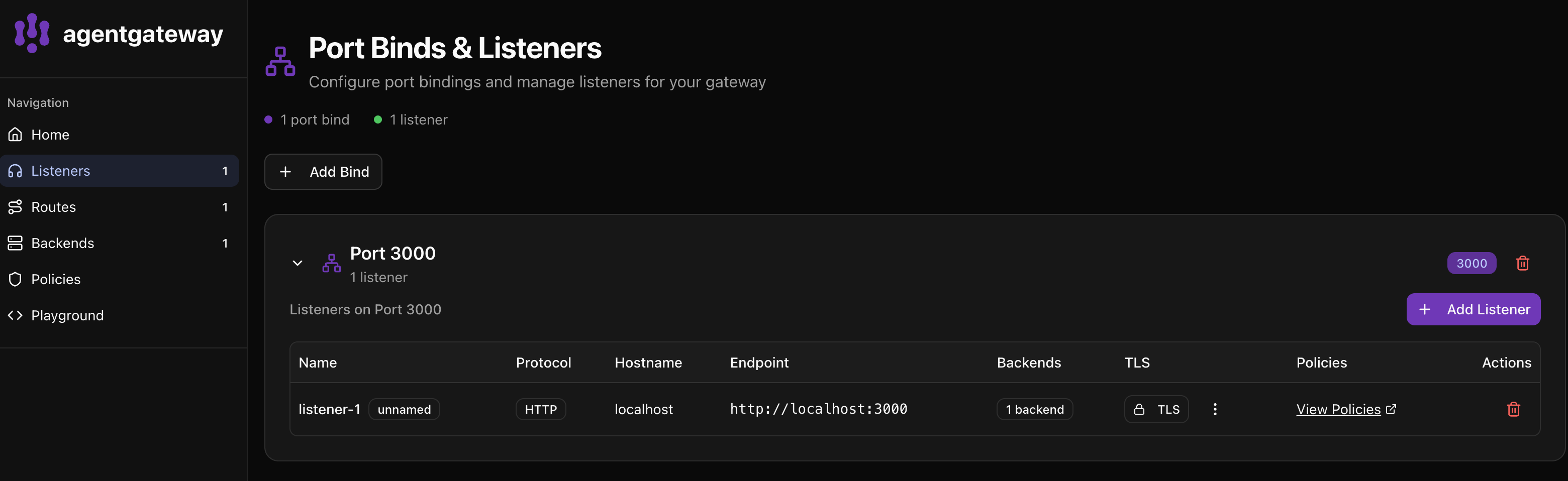
The UI shows:
- Port 3000 is bound with 1 listener
- listener-1 using HTTP protocol
- 1 backend configured (your MCP server)
Step 5: Test in the Playground
Click Playground in the left sidebar to test your MCP server.
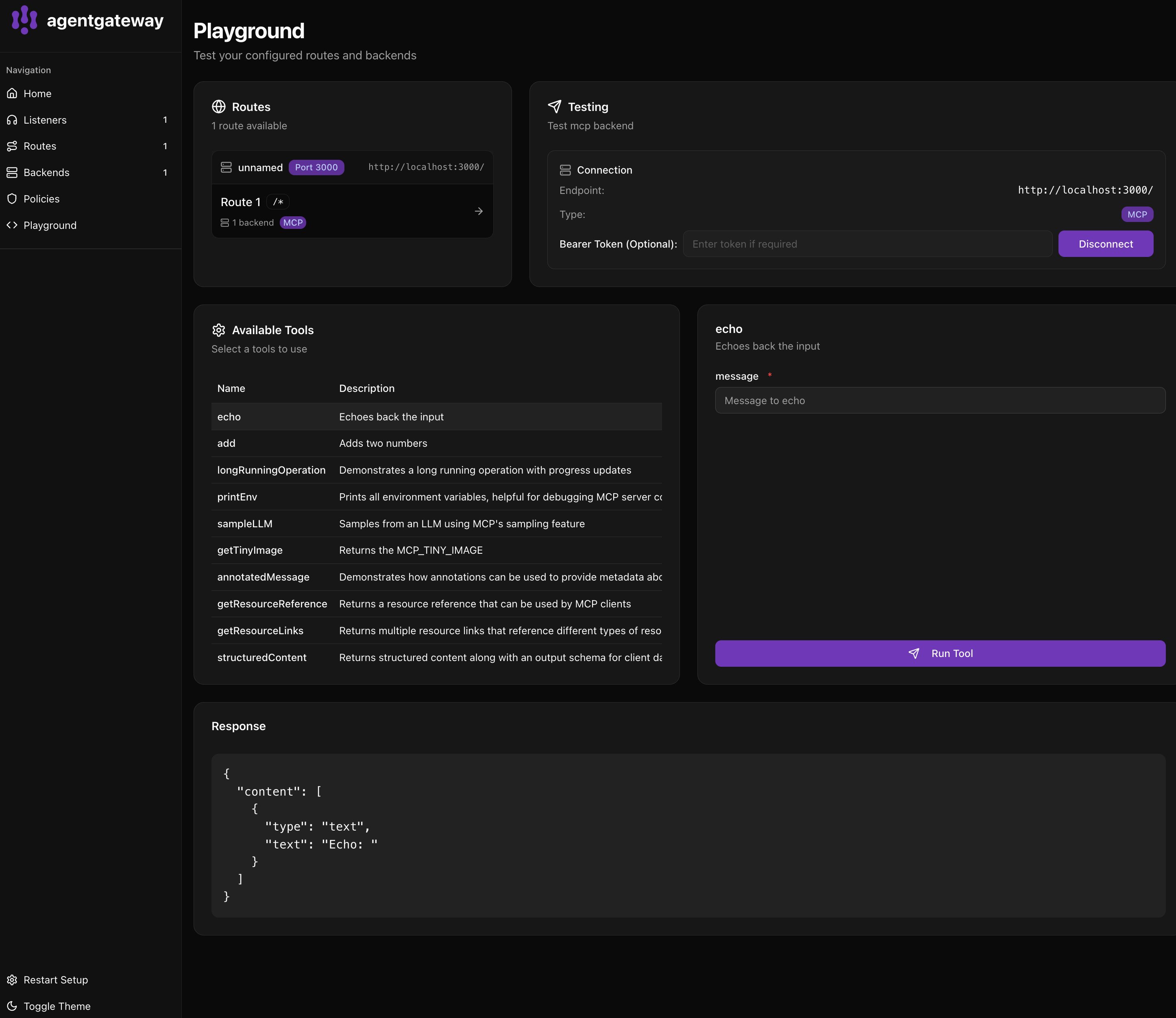
- In Routes, select Route 1 (your MCP route)
- The Testing panel shows your connection at
http://localhost:3000/ - Click Connect (or it auto-connects)
- Available Tools shows all tools from your MCP server:
echo- Echoes back the inputadd- Adds two numberslongRunningOperation- Demonstrates progress updates- And more…
Step 6: Run a tool
- Click on echo in the Available Tools list
- In the right panel, enter a message in the message field
- Click Run Tool
You’ll see the response in the Response panel:
{
  "content": [
    {
      "type": "text",
      "text": "Echo: Hello from Agent Gateway!"
    }
  ]
}
What’s in the config?
binds:
- port: 3000              # Listen on port 3000
  listeners:
  - routes:
    - policies:
        cors:             # Allow browser connections
          allowOrigins: ["*"]
          allowHeaders: [mcp-protocol-version, content-type, cache-control]
          exposeHeaders: ["Mcp-Session-Id"]
      backends:
      - mcp:
          targets:
          - name: everything
            stdio:        # Run a local MCP server
              cmd: npx
args: ["@modelcontextprotocol/server-everything"]- Listens on port 3000 for MCP client connections
- Enables CORS so browser-based clients can connect
- Runs the “everything” MCP server which provides sample tools