JWT Authorization
Secure your MCP endpoints with JWT authentication and fine-grained tool access control.
What you’ll build
In this tutorial, you configure the following.
- Configure JWT authentication for agentgateway
- Set up fine-grained authorization rules using CEL expressions
- Control which tools are accessible based on JWT claims
- Test authenticated requests with a pre-generated token
Before you begin
- Node.js installed (for the MCP server)
Step 1: Install agentgateway
curl -sL https://agentgateway.dev/install | bashStep 2: Download the test keys
For this tutorial, use the pre-generated test keys from the agentgateway repository:
# Download the JWKS public key
curl -sL https://raw.githubusercontent.com/agentgateway/agentgateway/main/manifests/jwt/pub-key -o pub-key

# Download a pre-generated test JWT token
curl -sL https://raw.githubusercontent.com/agentgateway/agentgateway/main/manifests/jwt/example1.key -o test-token.jwtStep 3: Start an MCP server
Start the “everything” MCP server on port 3001 using mcp-proxy:
npx mcp-proxy --port 3001 -- npx @modelcontextprotocol/server-everythingStep 4: Create the config
cat > config.yaml << 'EOF'
# yaml-language-server: $schema=https://agentgateway.dev/schema/config
binds:
- port: 3000
  listeners:
  - routes:
    - policies:
        cors:
          allowOrigins: ["*"]
          allowHeaders: ["*"]
          exposeHeaders: ["Mcp-Session-Id"]
        jwtAuth:
          issuer: agentgateway.dev
          audiences: [test.agentgateway.dev]
          jwks:
            file: ./pub-key
        mcpAuthorization:
          rules:
          # Public tool - no restrictions
          - 'mcp.tool.name == "echo"'
          # Restricted to specific user
          - 'jwt.sub == "test-user" && mcp.tool.name == "add"'
          # Restricted by custom claim
          - 'mcp.tool.name == "printEnv" && jwt.nested.key == "value"'
      backends:
      - mcp:
          targets:
          - name: mcp
            mcp:
              host: http://localhost:3001/mcp
EOF
Step 5: Start agentgateway
Open a new terminal and run:
agentgateway -f config.yamlExample output:
INFO agentgateway: Listening on 0.0.0.0:3000
INFO agentgateway: Admin UI available at http://localhost:15000/ui/
Step 6: View the test token
The pre-generated test token contains these claims that match our authorization rules:
{
  "iss": "agentgateway.dev",
  "aud": "test.agentgateway.dev",
  "sub": "test-user",
  "nested": {
    "key": "value"
  },
  "exp": 1900650294
}| Claim | Value | Purpose |
|---|---|---|
iss | agentgateway.dev | Must match the issuer in config |
aud | test.agentgateway.dev | Must match the audiences in config |
sub | test-user | Used in authorization rule for add tool |
nested.key | value | Used in authorization rule for printEnv tool |
exp | 1900650294 | Token expiration (year 2030) |
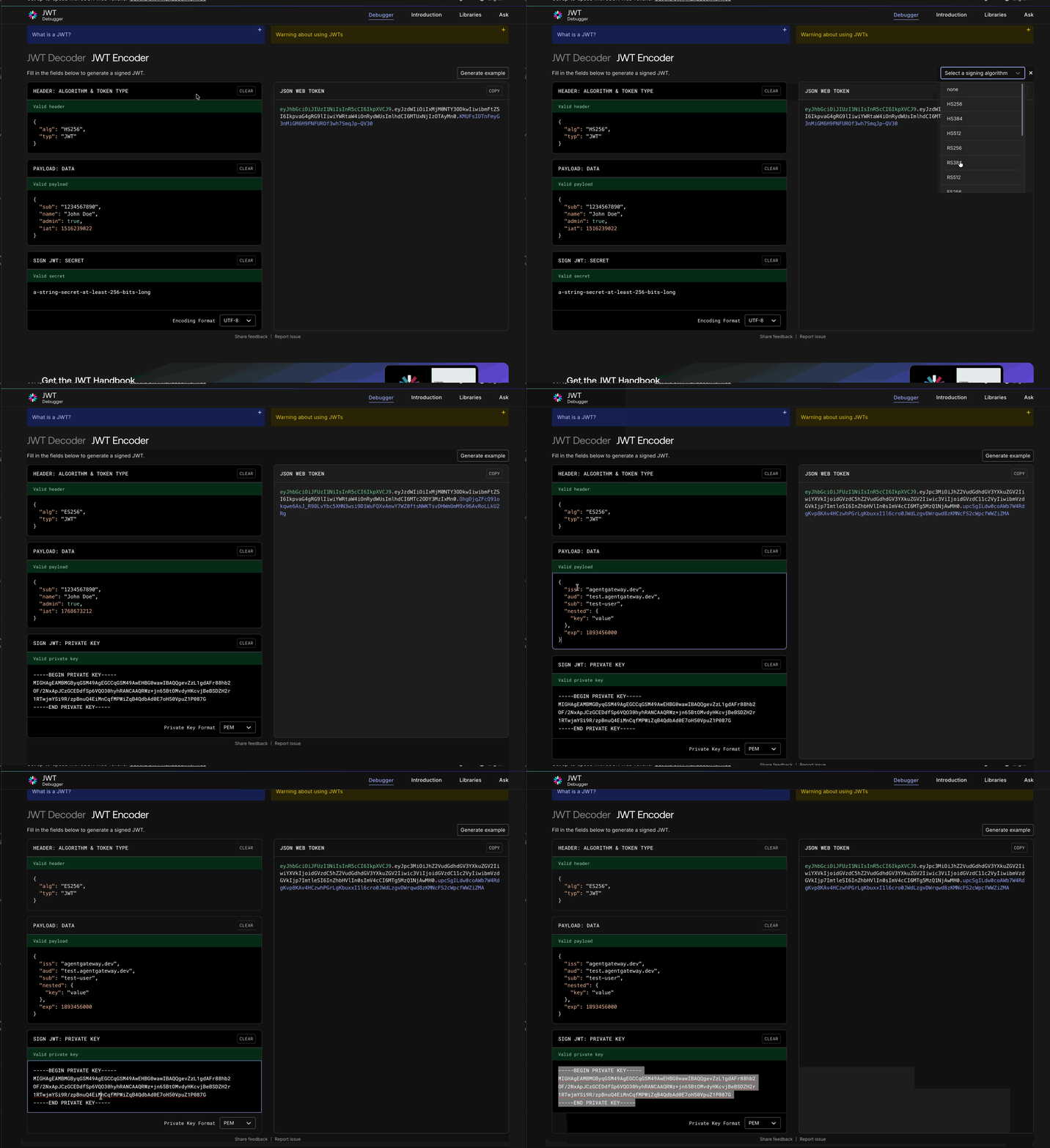
Inspect the token (optional)
View the raw token:
cat test-token.jwtTo decode and inspect the claims, visit jwt.io and paste the token contents into the Encoded field on the left side.
Step 7: Test with the token
First, initialize a session and get the session ID:
curl -s -i http://localhost:3000/mcp \
  -H "Content-Type: application/json" \
  -H "Accept: application/json, text/event-stream" \
  -H "Authorization: Bearer $(cat test-token.jwt)" \
  -d '{"jsonrpc":"2.0","method":"initialize","params":{"protocolVersion":"2024-11-05","capabilities":{},"clientInfo":{"name":"test","version":"1.0"}},"id":1}'
Copy the mcp-session-id from the response headers, then list the available tools:
curl -s http://localhost:3000/mcp \
  -H "Content-Type: application/json" \
  -H "Accept: application/json, text/event-stream" \
  -H "Authorization: Bearer $(cat test-token.jwt)" \
  -H "Mcp-Session-Id: YOUR_SESSION_ID" \
  -d '{"jsonrpc":"2.0","method":"tools/list","id":2}'
You should see only the three authorized tools: echo, add, and printEnv.
Authorization rules
The configuration above demonstrates three levels of access:
| Tool | Access Level | Rule |
|---|---|---|
echo | Public | No restrictions |
add | User-specific | Only test-user can access |
printEnv | Claim-based | Requires nested.key == "value" |
Rule syntax
MCP authorization rules use CEL (Common Expression Language) expressions:
mcpAuthorization:
  rules:
  # Match by subject
  - 'jwt.sub == "admin" && mcp.tool.name in ["tool1", "tool2"]'

  # Match by role claim
  - '"admin" in jwt.roles && mcp.tool.name == "admin_tool"'

  # Match by email domain
  - 'jwt.email.endsWith("@company.com") && mcp.tool.name == "internal_tool"'