For the complete documentation index, see llms.txt. Markdown versions of all docs pages are available by appending .md to any docs URL.
Goose
Route Goose’s LLM traffic through agentgateway to govern an autonomous agent’s model and tool calls.
Goose is an open-source, on-machine AI agent from Block that combines LLM reasoning with tool execution via the Model Context Protocol (MCP). Routing Goose’s LLM calls through agentgateway gives you a single place to apply rate limits, capture audit logs, and switch providers without reconfiguring the agent.
What you get
- A consistent OpenAI-compatible endpoint Goose can target with its
openaiprovider, regardless of the upstream model. - API keys held by agentgateway, not pasted into Goose’s config file.
- Per-request metrics and access logs for every LLM call the agent makes.
Architecture
┌─────────────────┐     ┌─────────────────┐     ┌─────────────────┐
│      Goose      │────▶│   agentgateway  │────▶│  LLM provider   │
│      (CLI)      │     │   (port 3000)   │     │ (OpenAI, etc.)  │
└─────────────────┘     └─────────────────┘     └─────────────────┘
Before you begin
- Install the agentgateway binary.
- Install Goose by following the Goose installation guide.
- Have an LLM provider API key, such as an OpenAI API key.
Steps
Step 1: Configure agentgateway
You can configure agentgateway in the UI or in your configuration file.
To create the same configuration in the UI, follow these steps.
Set your OpenAI API key, create a configuration file with an empty
llmsection, and start agentgateway. The UI checks that theOPENAI_API_KEYenvironment variable exists when you save the model.export OPENAI_API_KEY='<your-api-key>' cat > config.yaml <<'EOF' llm: models: [] EOF agentgateway -f config.yamlAdd the model.
Open LLM > Models, such as http://localhost:15000/ui/llm/models, and click Add model.
From the Provider dropdown, select OpenAI.
In the Incoming model match field, replace the default
openai/*with*.For the Provider API key, select Env var, and enter
OPENAI_API_KEY.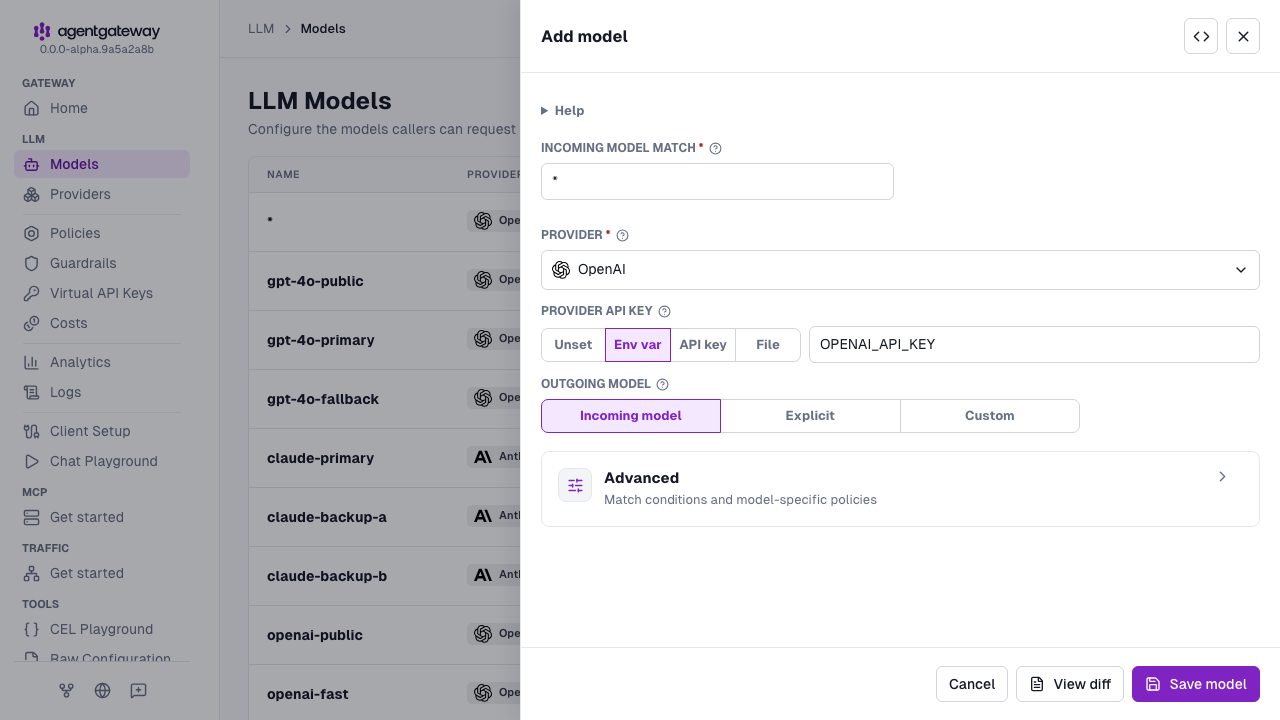
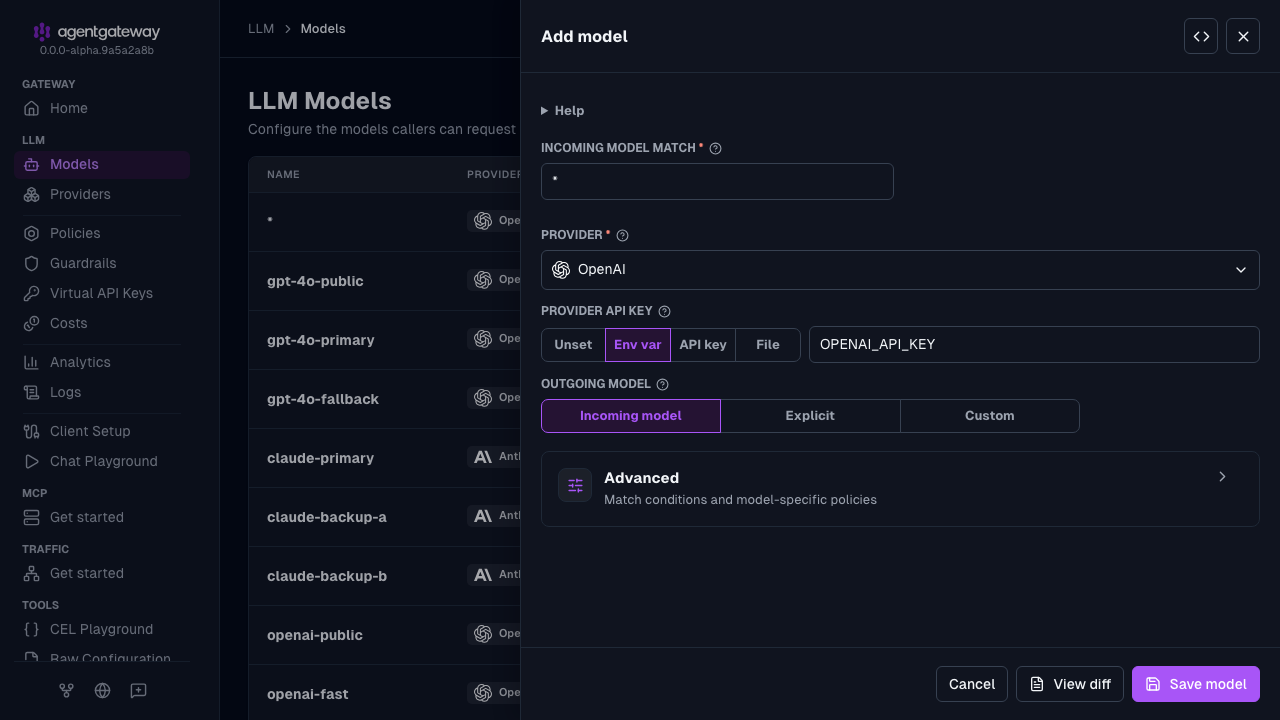
Click Save model.
Serve LLM traffic on port
3000.Open the Gateway Overview page, such as http://localhost:15000/ui/.
On the LLM row, click Settings.
Enter
3000for the Port, and click Save settings.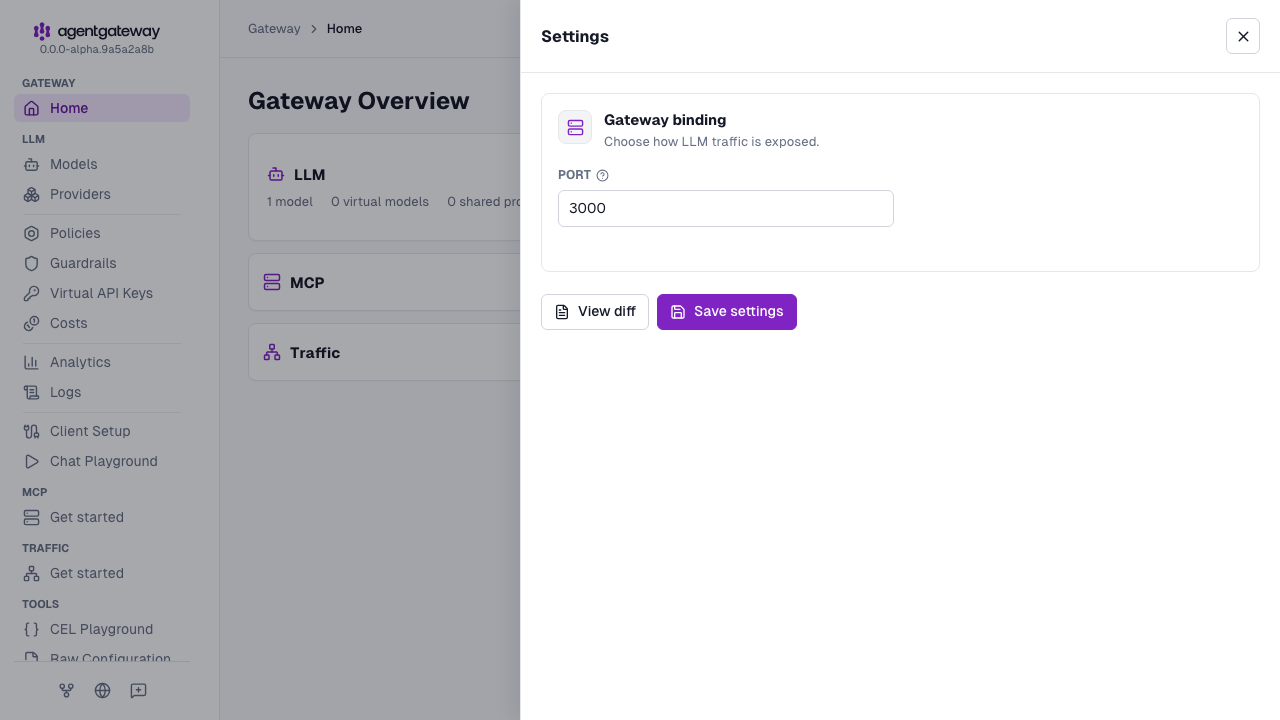
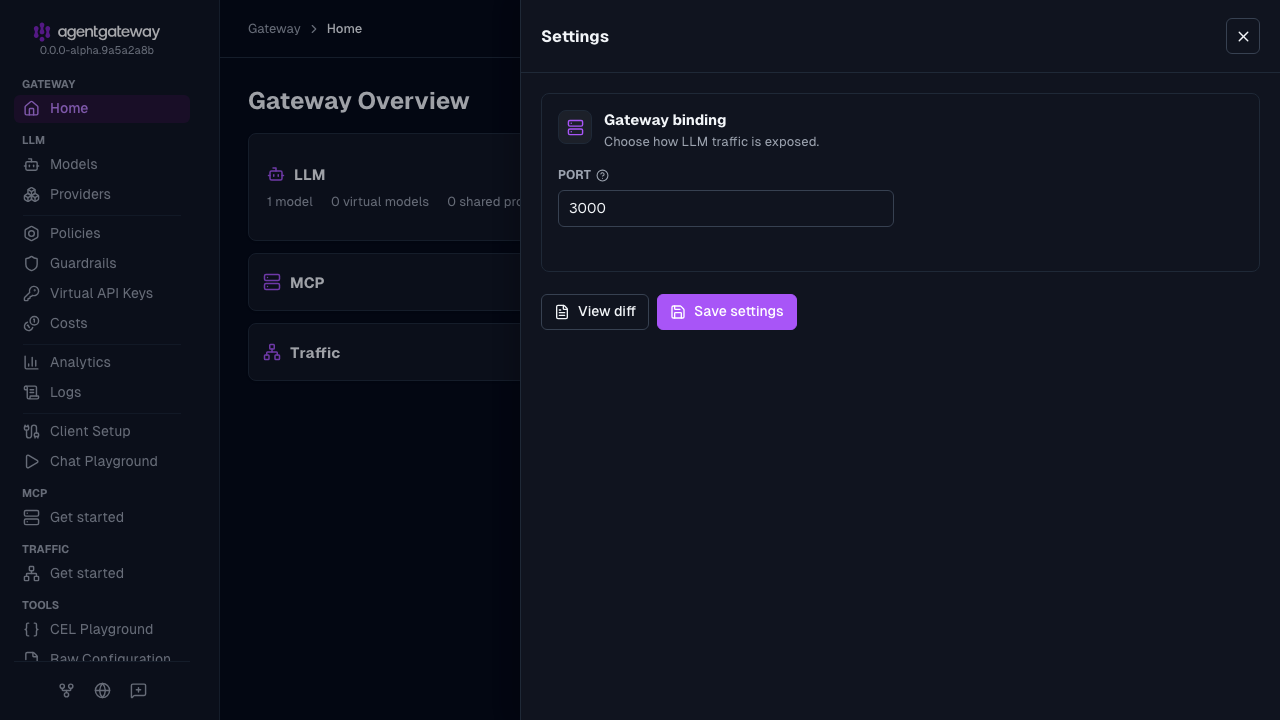
The UI writes the same deprecated llm.port field as the Config file tab, plus an empty llm.gateways list. If your configuration defines gateways, the Settings drawer shows a Gateway dropdown instead of Port, and binds LLM traffic to the gateway that you select. The UI also writes the provider as openai instead of openAI. Agentgateway accepts both values.
Whether the UI can save depends on your storage mode. For more information, see Save changes from the UI.
Agentgateway is already running with the new configuration, so skip Step 2.
Step 2: Start agentgateway
export OPENAI_API_KEY='<your-api-key>'
agentgateway -f config.yaml
Step 3: Point Goose at agentgateway
Goose reads provider settings from environment variables or from ~/.config/goose/config.yaml. Configure Goose to use the OpenAI provider with agentgateway as the host.
export GOOSE_PROVIDER=openai
export GOOSE_MODEL=gpt-4o
export OPENAI_HOST=http://localhost:3000
export OPENAI_API_KEY=placeholder
The following table describes each environment variable:
| Variable | Description |
|---|---|
GOOSE_PROVIDER | The LLM provider Goose uses. Set to openai so Goose speaks the OpenAI-compatible API. |
GOOSE_MODEL | The model to use. Must be set — Goose will not start without a model configured. |
OPENAI_HOST | The base URL of the agentgateway proxy. |
OPENAI_API_KEY | Must be non-empty for Goose to start, but it is not used to call OpenAI — agentgateway holds the real key. |
Equivalent ~/.config/goose/config.yaml:
GOOSE_PROVIDER: openai
GOOSE_MODEL: gpt-4o
OPENAI_HOST: http://localhost:3000
Step 4: Run Goose
Start an interactive session:
goose sessionOr send a one-shot prompt to verify the connection:
goose run --text "say hello"Watch the agentgateway logs as Goose makes LLM calls. You should see a log entry showing the request was forwarded to the OpenAI endpoint with the configured model:
info request gateway=default/default listener=llm route=internal/model:* endpoint=api.openai.com:443 http.method=POST http.path=/v1/chat/completions http.status=200 protocol=llm gen_ai.operation.name=chat gen_ai.provider.name=openai gen_ai.request.model=gpt-4o gen_ai.usage.input_tokens=4419 gen_ai.usage.output_tokens=10 duration=2195msNext steps
Goose can also use MCP servers as tools. To proxy and govern MCP tool calls through agentgateway, see the MCP setup guides.
