For the complete documentation index, see llms.txt. Markdown versions of all docs pages are available by appending .md to any docs URL.
Secure the admin UI
Secure and expose the admin UI on HTTPS for an agentgateway standalone Deployment in Kubernetes with Helm.
Agentgateway serves the UI in two places:
- The admin interface on the agentgateway Deployment. You can access the admin UI by port-forwarding the deployment on port
15000and accessing the/uipath. - A gateway listener that you configure in the
uiandgatewayconfig sections. By default, you have adefaultgateway that serves both the UI and APIs on the same LoadBalancer port80as proxy traffic.
Warning
The ui section attaches to a gateway named default when you omit ui.gateways. Because the chart’s default values include an empty ui section, a default gateway, and a LoadBalancer Service on port 80, a default installation serves the UI and its APIs, including /api/config, on the same address as your proxy traffic. Complete this guide, or set gateway.service.type to ClusterIP, before you install the chart on a cluster that assigns external addresses.
Before you begin
- Install the standalone Helm chart.
- Set up an identity provider (IdP), such as Keycloak or Microsoft Entra ID. Consider creating a client specifically for the UI, such as
agentgateway-ui. For provider-specific setup instructions, see the identity provider integrations. - Get a TLS certificate and key for the hostname that you plan to serve the UI on, such as from your DNS provider or your organization’s certificate authority.
Set up the gateway
Give the UI a gateway of its own so that proxy traffic and UI traffic do not share a port. Keeping them apart lets you publish the proxy port while the UI port stays internal, and it lets you apply different authentication policies to the UI and proxy traffic.
Add an
admingateway to your Helm values file, and point theuisection at it. The following example serves proxy traffic such as httpbin routes on port4000of the default gateway and the UI on port4001of the admin gateway.cat <<'EOF' > values.yaml config: gateways: default: port: 4000 admin: port: 4001 ui: gateways: [admin] routes: - matches: - path: pathPrefix: / backends: - host: httpbin.httpbin.svc.cluster.local:8000 EOFUpgrade the release with your values file.
helm upgrade -i agentgateway-standalone \
  oci://cr.agentgateway.dev/charts/agentgateway-standalone \
  --namespace agentgateway-system \
  --version 0.0.0-latest-dev \
  -f values.yaml
Confirm that the UI no longer answers on the proxy port.
Port-forward the agentgateway Deployment on port 4000 for proxy traffic.
kubectl port-forward -n agentgateway-system \
  deploy/agentgateway-standalone 4000:4000
Send a request to the
/uipath. Confirm that the request fails, because port4000now serves only your routes.curl -s -o /dev/null -w "%{http_code}\n" http://localhost:4000/uiExample output:
503
Confirm that the UI answers on its own port.
Port-forward the agentgateway Deployment on port 4001 for UI traffic.
kubectl port-forward -n agentgateway-system \
  deploy/agentgateway-standalone 4001:4001
Send a request to the
/uipath. Confirm that the request returns a200success code.curl -s -o /dev/null -w "%{http_code}\n" http://localhost:4001/uiExample output:
200
Secure the UI with OIDC
Add an authentication policy before you publicly expose the UI. The ui.policies section in the agentgateway config takes the same policies that a route takes, so you can use OIDC for browser logins, or JWT, basic, or API key authentication for programmatic access. To restrict which authenticated users get in, add an authorization policy alongside the authentication policy.
Save the details of the UI client that you created in your IdP as environment variables. The redirect URI must match the address that you expose the UI on in a later step, and it must be registered as a valid redirect URI in your IdP.
export ISSUER_URL=https://keycloak.example.com/realms/agentgateway
export UI_CLIENT_ID=agentgateway-ui
export UI_CLIENT_SECRET=<client-secret>
export REDIRECT_URI=https://agentgateway.example.com/oauth/callback
Create a Secret that holds the session cookie encryption key and the OIDC client secret.
After a user logs in, agentgateway keeps the session in a browser cookie that it encrypts with the session cookie encryption key. The key is a random value that you generate, not a value that your IdP gives you. Agentgateway requires an AES-256-GCM key, which is 32 random bytes that are encoded as 64 hexadecimal characters. Agentgateway refuses to start when an
oidcpolicy is set and this key is missing or is not that length.kubectl create secret generic agentgateway-ui-secrets \ -n agentgateway-system \ --from-literal=OIDC_COOKIE_SECRET="$(openssl rand -hex 32)" \ --from-literal=UI_CLIENT_SECRET="${UI_CLIENT_SECRET}"Note
You choose the Secret’s name, and you pass it to the chart in the
oidc.cookieSecretNamevalue in the next step. However, the key within the Secret must be namedOIDC_COOKIE_SECRET, because the chart reads that exact key. The client secret key can have any name, as long as theextraEnventry that you add in the next step refers to the same name. This example keeps both values in one Secret, but you can also keep them in separate Secrets. In that case, setoidc.cookieSecretNameto the Secret that holds the cookie key, and point theextraEnventry at the Secret that holds the client secret.Add the OIDC policy to the
uisection, point the chart at the Secret, and pass the client secret to the pod as an environment variable.The heredoc in this step is unquoted, so your shell substitutes the issuer, client ID, and redirect URI as it writes the file. The
\$UI_CLIENT_SECRETreference is escaped, so it stays in the file as a literal$UI_CLIENT_SECRETthat agentgateway resolves from the pod environment at startup. This way, the client secret stays in the Secret instead of the ConfigMap.cat <<EOF > values.yaml config: gateways: default: port: 4000 admin: port: 4001 ui: gateways: [admin] policies: oidc: issuer: ${ISSUER_URL} clientId: ${UI_CLIENT_ID} clientSecret: \$UI_CLIENT_SECRET redirectURI: ${REDIRECT_URI} scopes: - profile - email routes: - matches: - path: pathPrefix: / backends: - host: httpbin.httpbin.svc.cluster.local:8000 oidc: cookieSecretName: agentgateway-ui-secrets extraEnv: - name: UI_CLIENT_SECRET valueFrom: secretKeyRef: name: agentgateway-ui-secrets key: UI_CLIENT_SECRET EOFUpgrade the release with your values file.
helm upgrade -i agentgateway-standalone \
  oci://cr.agentgateway.dev/charts/agentgateway-standalone \
  --namespace agentgateway-system \
  --version 0.0.0-latest-dev \
  -f values.yaml
Confirm that the pod is running.
kubectl get pods -n agentgateway-system \
  -l app.kubernetes.io/name=agentgateway-standalone
Port-forward the UI port again, and confirm that an unauthenticated request is redirected to your IdP.
curl -s -o /dev/null -D- http://localhost:4001/ui | grep -i locationExample output:
location: https://keycloak.example.com/realms/agentgateway/protocol/openid-connect/auth?response_type=code&client_id=agentgateway-ui&...
Important
Agentgateway fetches the OIDC discovery document at startup, so the issuer must be reachable from the pod. When the fetch fails, the pod does not start, and the logs report failed to decode oidc discovery response from uri. If the pod enters CrashLoopBackOff after you add the policy, check the issuer URL and any egress restrictions.
Expose the UI
Now that the UI requires a login, terminate TLS on the admin gateway and expose it on its own LoadBalancer Service.
Agentgateway reads the certificate and key from the file system, so you mount them into the pod from a Kubernetes Secret. Because the UI usually needs different exposure than proxy traffic, give it a separate Service instead of adding the port to the main Service.
Create a TLS Secret from the certificate and key for your UI hostname. This guide assumes that you already have a certificate for that hostname, such as one that you issued through your DNS provider or your organization’s certificate authority. The certificate must be valid for the hostname that you create a DNS record for in a later step.
kubectl create secret tls agentgateway-ui-tls \
  -n agentgateway-system \
  --cert=ui-cert.pem --key=ui-key.pem
Mount the TLS Secret as a volume and configure the admin gateway to terminate TLS traffic on the gateway by using the certs from that Secret. You also expose the UI with a separate Service so that the UI and proxy traffic do not share the same service address. The chart names the extra Service
<release name>-<name>, such asagentgateway-standalone-ui.cat <<EOF > values.yaml gateway: service: ports: - name: http port: 80 targetPort: 4000 protocol: TCP extraServices: - name: ui type: LoadBalancer ports: - name: https port: 443 targetPort: 4001 protocol: TCP config: gateways: default: port: 4000 admin: port: 4001 tls: cert: /etc/agentgateway/tls/tls.crt key: /etc/agentgateway/tls/tls.key ui: gateways: [admin] policies: oidc: issuer: ${ISSUER_URL} clientId: ${UI_CLIENT_ID} clientSecret: \$UI_CLIENT_SECRET redirectURI: ${REDIRECT_URI} scopes: - profile - email routes: - matches: - path: pathPrefix: / backends: - host: httpbin.httpbin.svc.cluster.local:8000 oidc: cookieSecretName: agentgateway-ui-secrets extraEnv: - name: UI_CLIENT_SECRET valueFrom: secretKeyRef: name: agentgateway-ui-secrets key: UI_CLIENT_SECRET extraVolumes: - name: ui-tls secret: secretName: agentgateway-ui-tls extraVolumeMounts: - name: ui-tls mountPath: /etc/agentgateway/tls readOnly: true EOFNote
A
kubernetes.io/tlsSecret stores the certificate astls.crtand the key astls.key, which is why thecertandkeypaths end with those file names. Settingtlson a gateway also switches the gateway protocol to HTTPS. For more certificate options, see Gateways.Upgrade the release with your values file.
helm upgrade -i agentgateway-standalone \
  oci://cr.agentgateway.dev/charts/agentgateway-standalone \
  --namespace agentgateway-system \
  --version 0.0.0-latest-dev \
  -f values.yaml
Confirm that the pod is running.
kubectl get pods -n agentgateway-system \
  -l app.kubernetes.io/name=agentgateway-standalone
Get the external address of the UI Service, such as
34.xx.xxx.xxin the following example.Tip
Kind cluster? Kind does not support
LoadBalancerservices by default. To use this option with a Kind cluster, install and runcloud-provider-kind.kubectl get svc agentgateway-standalone-ui \ -n agentgateway-systemExample output:
NAME                         TYPE           CLUSTER-IP     EXTERNAL-IP    PORT(S)         AGE
agentgateway-standalone-ui   LoadBalancer   10.xx.xxx.xx   34.xx.xxx.xx   443:31820/TCP   30s
In your DNS provider, create a DNS record that points your UI hostname, such as
agentgateway.example.com, at the external address. The hostname must match both the certificate and theREDIRECT_URIvalue that you set earlier.Confirm that the gateway serves your certificate.
echo | openssl s_client -connect agentgateway.example.com:443 \
  -servername agentgateway.example.com 2>/dev/null | openssl x509 -noout -subject -dates
Example output:
subject=CN=agentgateway.example.com
notBefore=Aug 20 14:34:40 2026 GMT
notAfter=Sep 19 14:34:40 2026 GMT
Confirm that HTTPS requests are redirected to your IdP.
curl -s -o /dev/null -D- https://agentgateway.example.com/ui | grep -i locationExample output:
location: https://keycloak.example.com/realms/agentgateway/protocol/openid-connect/auth?response_type=code&client_id=agentgateway-ui&...
Log in to the UI
Now that the UI is securely exposed, log in.
In your browser, open the UI on your hostname, such as
https://agentgateway.example.com/ui.Verify that agentgateway redirects you to your IdP to log in.
Log in with a user from your IdP.
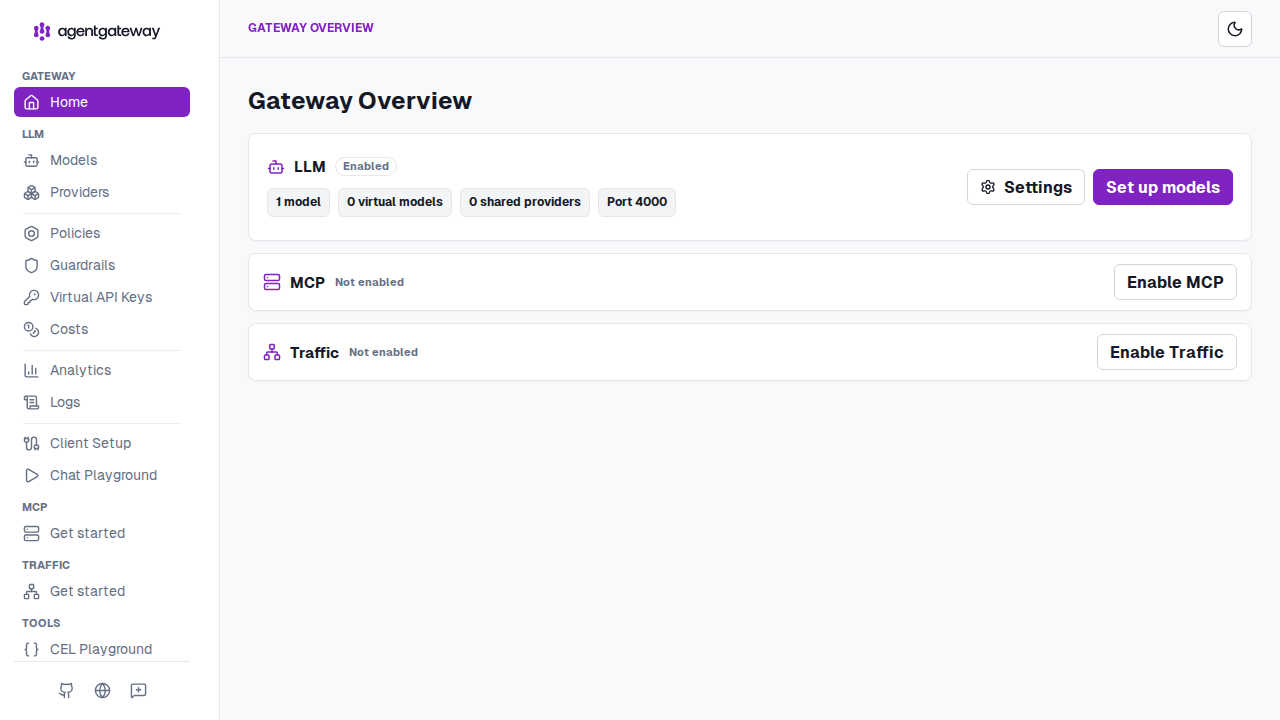
Verify that your IdP returns you to the UI, and that the Admin UI opens on the Gateway Overview. The overview lists the available capabilities for LLM, MCP, and Traffic.
For more information about what you can do in the UI, see Admin UI.
To save the configuration changes that you make in the UI, store config in a database. In the default read-only storage mode, the UI shows the running configuration, but a save fails because the chart mounts the configuration file read-only.
Cleanup
You can remove the resources that you created in this guide.Return the UI to the admin interface only, and remove the extra Service.
cat <<'EOF' > values.yaml
config:
  gateways:
    default:
      port: 4000
  routes:
  - matches:
    - path:
        pathPrefix: /
    backends:
    - host: httpbin.httpbin.svc.cluster.local:8000
EOF
Upgrade the release with your values file.
helm upgrade -i agentgateway-standalone \
  oci://cr.agentgateway.dev/charts/agentgateway-standalone \
  --namespace agentgateway-system \
  --version 0.0.0-latest-dev \
  -f values.yaml
Delete the Secrets that you created.
kubectl delete secret agentgateway-ui-secrets agentgateway-ui-tls \
  -n agentgateway-system
Remove the DNS record that you created for the UI hostname, and remove the UI client from your IdP.
