For the complete documentation index, see llms.txt. Markdown versions of all docs pages are available by appending .md to any docs URL.
Basic MCP server
Get started with agentgateway by exposing a single MCP server
Get up and running with agentgateway in under 2 minutes.
What you’ll build
In this tutorial, you configure the following.
- Install and run agentgateway
- Connect to a sample MCP server with demo tools
- Use the Admin UI to explore your configuration
- Test tools in the built-in Playground
Before you begin
- Node.js installed (for the MCP server)
Step 1: Install agentgateway
curl -sL https://agentgateway.dev/install | bashStep 2: Download the example config
curl -sL https://raw.githubusercontent.com/agentgateway/agentgateway/main/examples/basic/config.yaml -o config.yamlStep 3: Start agentgateway
agentgateway -f config.yamlExample output:
INFO agentgateway: Listening on 0.0.0.0:3000
INFO agentgateway: Admin UI available at http://localhost:15000/ui/
Step 4: Open the UI
Open your browser and go to http://localhost:15000/ui/
You see the agentgateway dashboard showing your configured listeners.
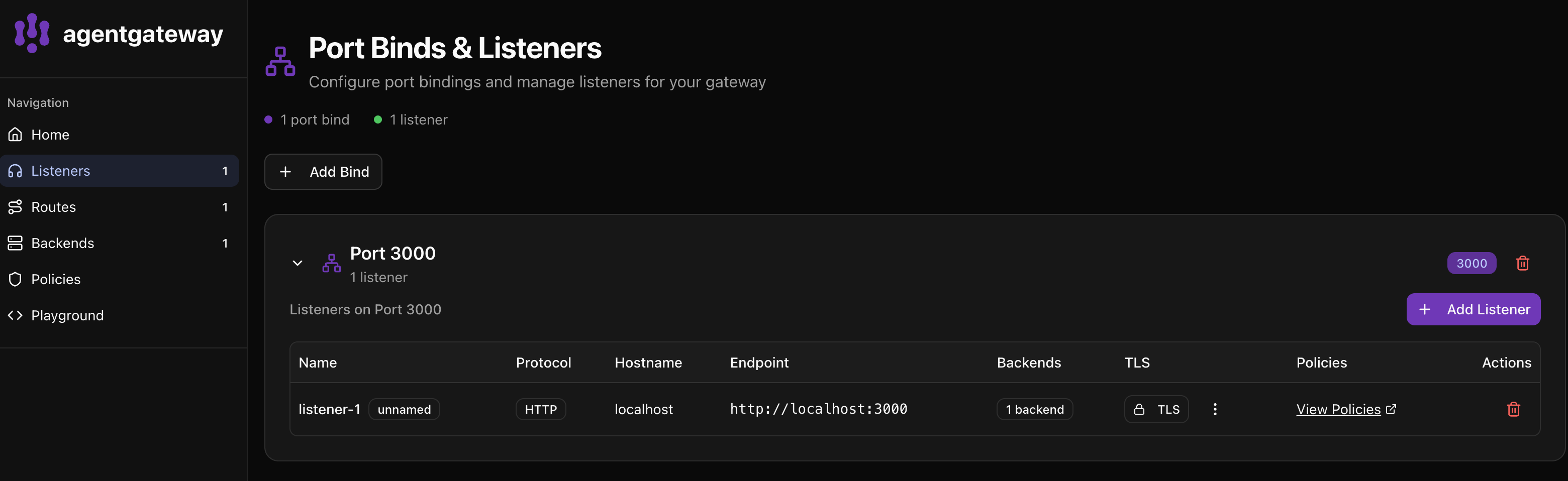
The UI shows the following.
- Port 3000 is bound with 1 listener
- listener-1 using HTTP protocol
- 1 backend configured (your MCP server)
Step 5: Test in the Playground
Click Playground in the left sidebar to test your MCP server.
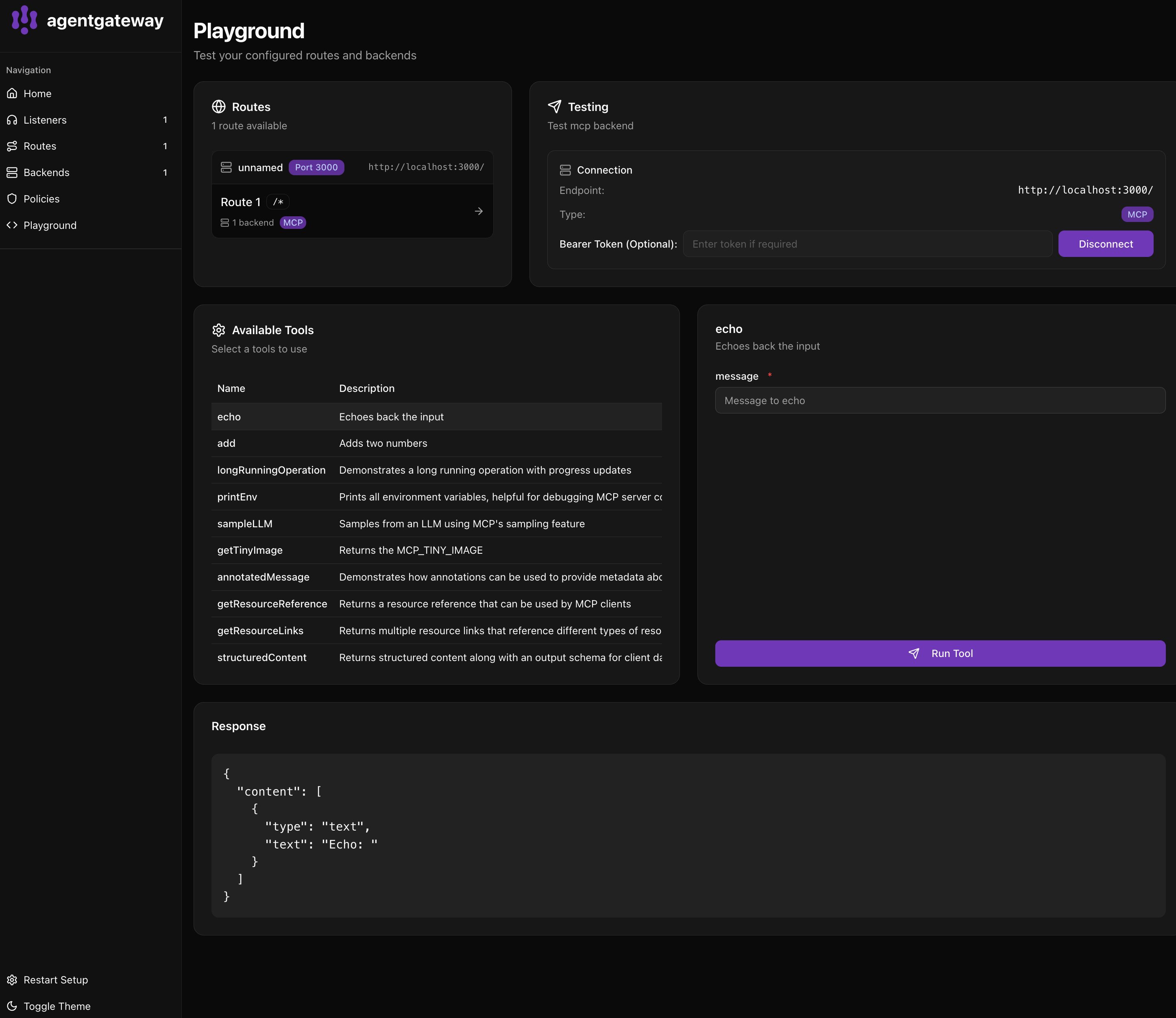
- In Routes, select Route 1 (your MCP route)
- The Testing panel shows your connection at
http://localhost:3000/ - Click Connect (or it auto-connects)
- Available Tools shows all tools from your MCP server.
echo- Echoes back the inputadd- Adds two numberslongRunningOperation- Demonstrates progress updates- And more…
Step 6: Run a tool
- Click on echo in the Available Tools list
- In the right panel, enter a message in the message field
- Click Run Tool
You see the response in the Response panel.
{
  "content": [
    {
      "type": "text",
      "text": "Echo: Hello from agentgateway!"
    }
  ]
}
What’s in the config?
# yaml-language-server: $schema=https://agentgateway.dev/schema/config
binds:
- port: 3000              # Listen on port 3000
  listeners:
  - routes:
    - policies:
        cors:             # Allow browser connections
          allowOrigins: ["*"]
          allowHeaders: [mcp-protocol-version, content-type, cache-control]
          exposeHeaders: ["Mcp-Session-Id"]
      backends:
      - mcp:
          targets:
          - name: everything
            stdio:        # Run a local MCP server
              cmd: npx
args: ["@modelcontextprotocol/server-everything"]- Listens on port 3000 for MCP client connections
- Enables CORS so browser-based clients can connect
- Runs the “everything” MCP server which provides sample tools
Next steps
Was this page helpful?
