For the complete documentation index, see llms.txt. Markdown versions of all docs pages are available by appending .md to any docs URL.
ArgoCD
Install agentgateway and related components.
In this installation guide, you install agentgateway in a Kubernetes cluster by using Argo CD. Argo CD is a declarative continuous delivery tool that is especially popular for large, production-level installations at scale. This approach incorporates Helm configuration files.
Before you begin
- Create or use an existing Kubernetes cluster.
- Install the following command-line tools.
- If you do not already have Argo CD installed in your cluster, install it.
kubectl create namespace argocd until kubectl apply -n argocd -f https://raw.githubusercontent.com/argoproj/argo-cd/v2.12.3/manifests/install.yaml > /dev/null 2>&1; do sleep 2; done # wait for deployment to complete kubectl -n argocd rollout status deploy/argocd-applicationset-controller kubectl -n argocd rollout status deploy/argocd-dex-server kubectl -n argocd rollout status deploy/argocd-notifications-controller kubectl -n argocd rollout status deploy/argocd-redis kubectl -n argocd rollout status deploy/argocd-repo-server kubectl -n argocd rollout status deploy/argocd-server - Update the default Argo CD password for the admin user to
gateway.# bcrypt(password)=$2y$10$f6GlB5V/8OzCduEDEgBU.ugVn4vzxgT7cq7vuCebZAKoADaNve9Ve # password: gateway kubectl -n argocd patch secret argocd-secret \ -p '{"stringData": { "admin.password": "$2y$10$f6GlB5V/8OzCduEDEgBU.ugVn4vzxgT7cq7vuCebZAKoADaNve9Ve", "admin.passwordMtime": "'$(date +%FT%T%Z)'" }}'
Install
Install agentgateway by using Argo CD.
Install the custom resources of the Kubernetes Gateway API. This example uses Gateway API 1.6.0, but you can use any version within the supported range by setting the variable accordingly.
export GWAPI_VERSION=1.6.0
kubectl apply --server-side -f https://github.com/kubernetes-sigs/gateway-api/releases/download/v$GWAPI_VERSION/standard-install.yaml
Example output:
customresourcedefinition.apiextensions.k8s.io/backendtlspolicies.gateway.networking.k8s.io created
customresourcedefinition.apiextensions.k8s.io/gatewayclasses.gateway.networking.k8s.io created
customresourcedefinition.apiextensions.k8s.io/gateways.gateway.networking.k8s.io created
customresourcedefinition.apiextensions.k8s.io/grpcroutes.gateway.networking.k8s.io created
customresourcedefinition.apiextensions.k8s.io/httproutes.gateway.networking.k8s.io created
customresourcedefinition.apiextensions.k8s.io/referencegrants.gateway.networking.k8s.io created
Note
If you need to use an experimental feature such as TCPRoutes, install the experimental CRDs. For more information, see Experimental features in Gateway API.
Port-forward the Argo CD server on port 9999.
kubectl port-forward svc/argocd-server -n argocd 9999:443Open the Argo CD UI.
Log in with the
adminusername andgatewaypassword.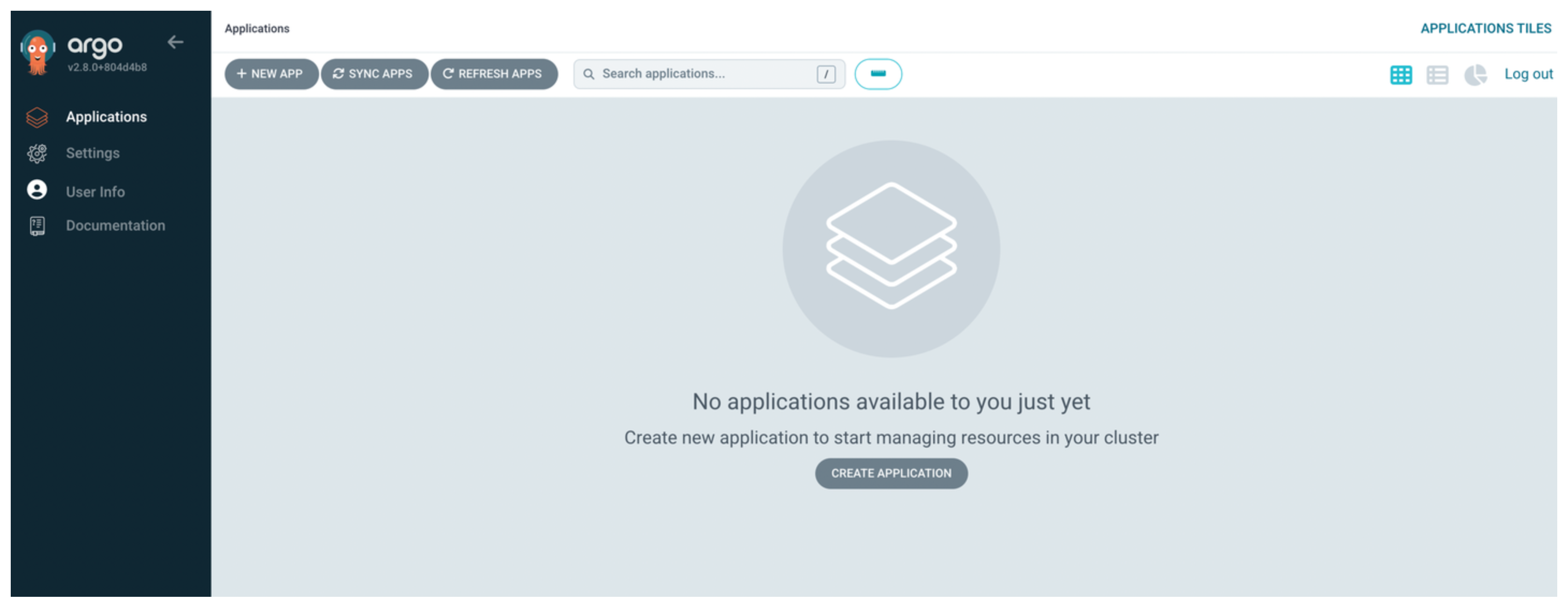
Create an Argo CD application to deploy the agentgateway CRD Helm chart.
kubectl apply -f- <<EOF
apiVersion: argoproj.io/v1alpha1
kind: Application
metadata:
  name: agentgateway-crds-helm
  namespace: argocd
spec:
  destination:
    namespace: agentgateway-system
    server: https://kubernetes.default.svc
  project: default
  source:
    chart: agentgateway-crds
    helm:
      skipCrds: false
    repoURL: cr.agentgateway.dev/charts
    targetRevision: 1.6.0-alpha.1
  syncPolicy:
    automated:
      # Prune resources during auto-syncing (default is false)
      prune: true
      # Sync the app in part when resources are changed only in the target Kubernetes cluster
      # but not in the git source (default is false).
      selfHeal: true
    syncOptions:
    - CreateNamespace=true
EOF
Create an Argo CD application to install the agentgateway Helm chart. You might also need the following parameters:
- Development builds:
controller.image.pullPolicy=Alwaysto ensure you get the latest image. - Experimental Gateway API features:
controller.extraEnv.AGW_ENABLE_EXPERIMENTAL_GATEWAY_API_FEATURES=trueto set the feature gate for experimental features such as TCPRoutes explicitly. This setting is enabled by default.
kubectl apply -f- <<EOF apiVersion: argoproj.io/v1alpha1 kind: Application metadata: name: agentgateway-helm namespace: argocd spec: destination: namespace: agentgateway-system server: https://kubernetes.default.svc project: default source: chart: agentgateway helm: skipCrds: false parameters: - name: controller.image.pullPolicy value: "Always" - name: controller.extraEnv.AGW_ENABLE_EXPERIMENTAL_GATEWAY_API_FEATURES value: "true" repoURL: cr.agentgateway.dev/charts targetRevision: 1.6.0-alpha.1 syncPolicy: automated: # Prune resources during auto-syncing (default is false) prune: true # Sync the app in part when resources are changed only in the target Kubernetes cluster # but not in the git source (default is false). selfHeal: true syncOptions: - CreateNamespace=true EOF- Development builds:
Verify that the control plane is up and running.
kubectl get pods -n agentgateway-systemExample output:
NAME                             READY   STATUS    RESTARTS   AGE
agentgateway-helm-6b5bb4db6b-c2pkq   1/1     Running   0          4m4s
Verify that the
agentgatewayGatewayClass is created. You can optionally take a look at how the gateway class is configured by adding the-o yamloption to your command.kubectl get gatewayclass agentgatewayOpen the Argo CD UI and verify that you see the Argo CD application with a
HealthyandSyncedstatus.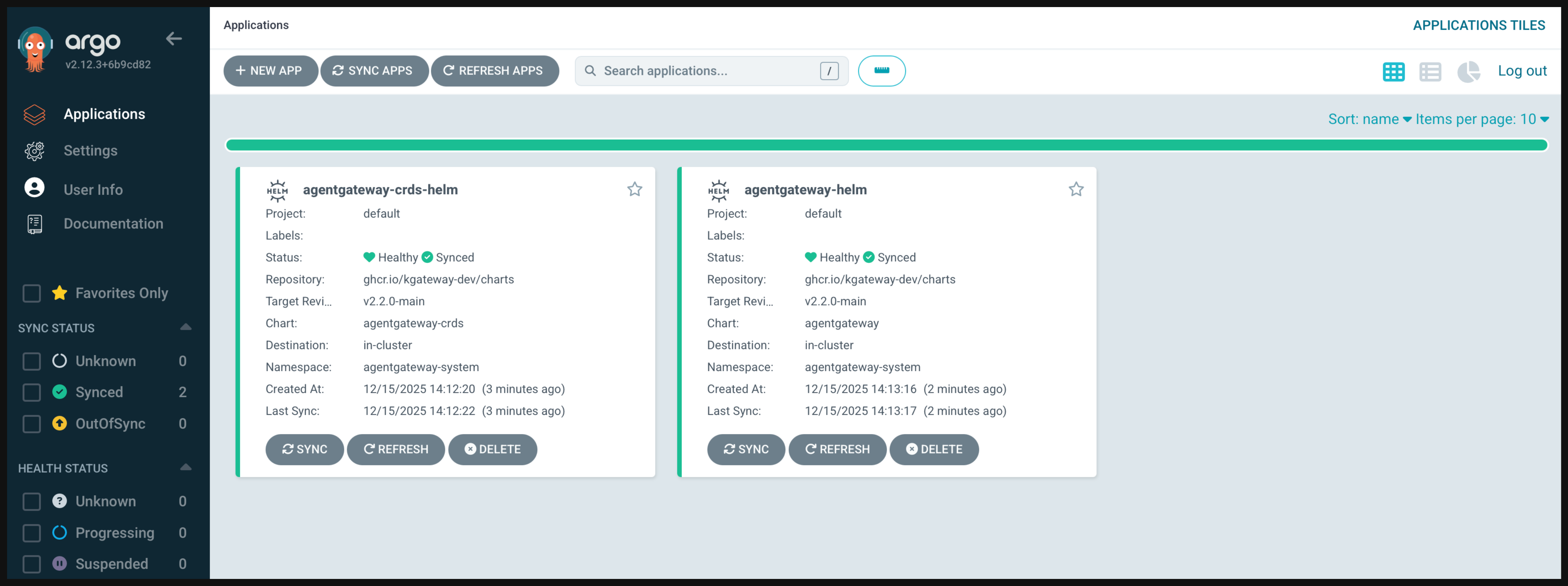
Next steps
Now that you have agentgateway set up and running, check out the following guides to expand your gateway capabilities.
- Set up your agentgateway proxy.
- Review the LLM consumption, inference routing, MCP, or agent connectivity guides to learn more about common agentgateway use cases.
- Deploy your apps in agentgateway by using Argo Rollouts
Cleanup
You can remove the resources that you created in this guide.Follow the Uninstall with Argo CD guide.
