Deploy Codex CLI with Bedrock Through agentgateway
Run OpenAI's Codex CLI against an OpenAI model hosted on Amazon Bedrock, with open source agentgateway on a kind cluster in the middle. The gateway holds the Bedrock key, publishes one model name, logs every call with tokens and cost to Postgres, and fronts an MCP server. Includes every manifest, the Codex profile, and the things that did not work the first time.
Codex CLI wants an OpenAI-shaped endpoint and an API key. I wanted neither on my laptop. The goal for this build: Codex talks to a gateway on localhost with no key at all, the gateway sends the request to an OpenAI model running on Amazon Bedrock, and every call shows up in a log with its token count and cost.
All of it runs on open source agentgateway v1.7.0 in a local kind cluster. The manifests and the full step list are in sebbycorp/agentgateway-oss-k8s.
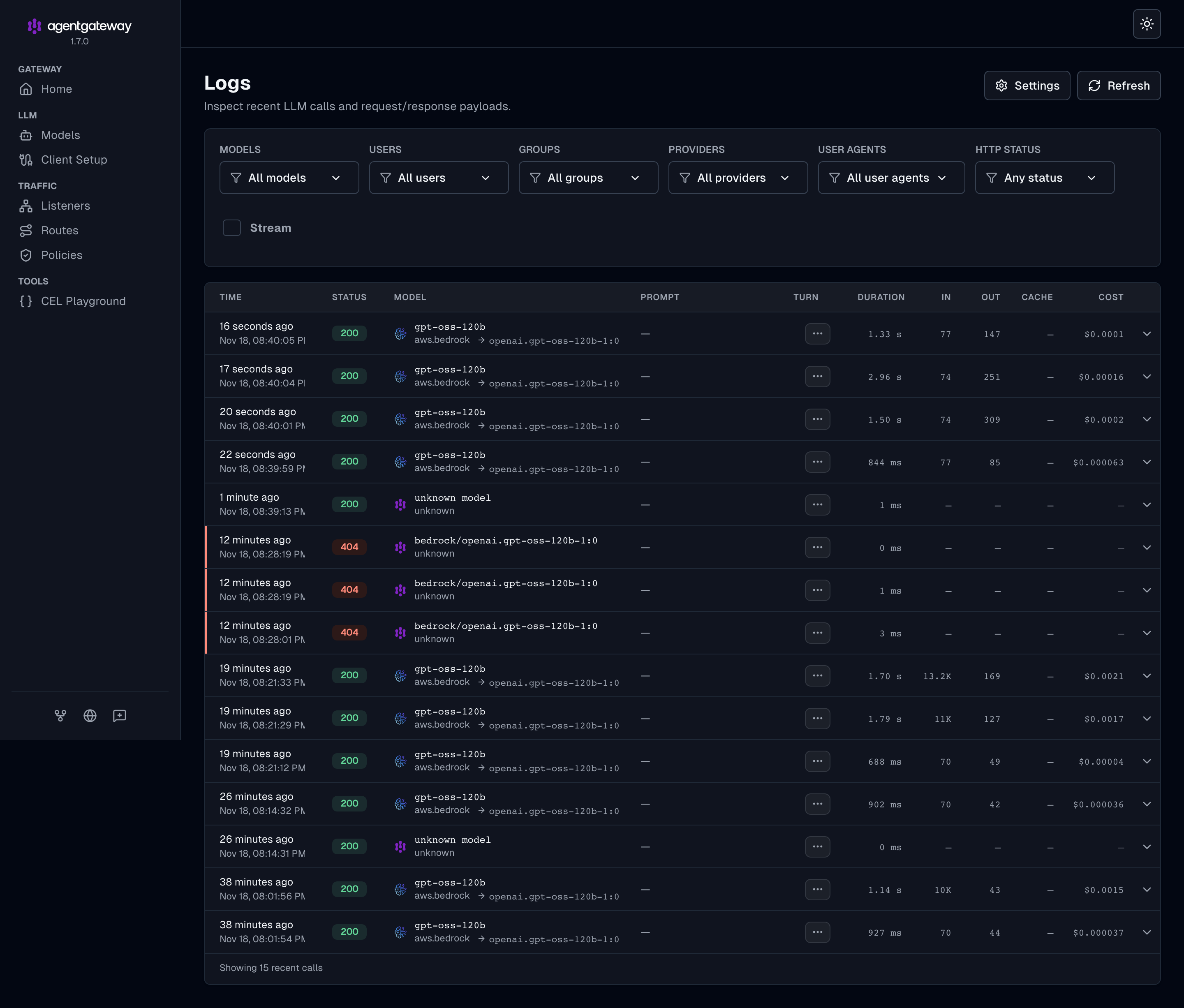
What you end up with:
- Codex with no credentials. The Bedrock API key lives in a Kubernetes Secret. Codex sends none.
- One published model. Codex asks for
gpt-oss-120b. The gateway rewrites that to Bedrock’sopenai.gpt-oss-120b-1:0. Any other model name gets a 404. - A log of every call. Model, tokens in and out, latency, cost and client, stored in Postgres and shown in the agentgateway UI.
- An MCP server behind the same gateway. Codex reaches the Solo.io docs search tools through
/mcp.
Architecture
    flowchart LR
  C[Codex CLI<br/>no API key] -->|/v1/responses| LB[cloud-provider-kind<br/>localhost port]
  C -->|/mcp| LB
  LB --> P[agentgateway proxy]
  P -->|Converse + Bedrock API key| B[Amazon Bedrock<br/>openai.gpt-oss-120b-1:0]
  P -->|streamable HTTP| M[search.solo.io/mcp]
  P -->|request log| DB[(Postgres)]
  DB --> UI[agentgateway UI<br/>Logs / Analytics]
Codex speaks the OpenAI Responses API. Bedrock does not. agentgateway translates between the two, which is the part that makes this work without touching Codex.
Prerequisites
- Docker Desktop,
kind,kubectl,helm,jq,openssl cloud-provider-kindfor LoadBalancer Services- Codex CLI (I used 0.170.0)
- A Bedrock API key with access to
openai.gpt-oss-120b-1:0in your region (I usedus-east-2)
export BEDROCK_API_KEY='<your Bedrock API key>'
export CTX=kind-agentgateway-codex
Every command below pins --context $CTX. I had another cluster as my current context when I started, and I did not want a Helm install landing there.
1. kind cluster and a LoadBalancer
kind create cluster --name agentgateway-codexIn a second terminal, start cloud-provider-kind and leave it running:
cloud-provider-kind --gateway-channel disabled --enable-lb-port-mappingTwo flags, both needed on a Mac:
--gateway-channel disabled: by default cloud-provider-kind installs its own Gateway API CRDs and its own gateway controller. I install the CRDs myself and want agentgateway to be the only controller.--enable-lb-port-mapping: the kind Docker network is not reachable from macOS. This publishes each LoadBalancer on a random localhost port, nosudorequired. Without it (and withoutsudo) the binary exits withplease run this again with `sudo`.
2. Install agentgateway
Gateway API CRDs first, then two Helm releases: the agentgateway CRDs and the controller.
kubectl --context $CTX apply --server-side --force-conflicts \
  -f https://github.com/kubernetes-sigs/gateway-api/releases/download/v1.6.3/standard-install.yaml

helm upgrade -i agentgateway-crds oci://cr.agentgateway.dev/charts/agentgateway-crds \
  --kube-context $CTX --create-namespace --namespace agentgateway-system --version v1.7.0

helm upgrade -i agentgateway oci://cr.agentgateway.dev/charts/agentgateway \
  --kube-context $CTX --namespace agentgateway-system --version v1.7.0 \
  --set controller.image.pullPolicy=Always --wait
Helm only installs the controller. The proxy itself is created later, by the controller, when it sees a Gateway resource. That matters in step 4.
3. Postgres for the request log
agentgateway ships without a request-log database. Without one, the UI’s Logs and Analytics pages answer request log database is not configured. A SQLite file in the pod works for a quick look, but it is per-pod and gone on restart, so I run Postgres in the cluster. For production, use a managed Postgres instead.
kubectl --context $CTX -n agentgateway-system create secret generic agentgateway-db \
--from-literal=password="$(openssl rand -hex 24)"apiVersion: v1
kind: Service
metadata:
name: agentgateway-db
namespace: agentgateway-system
spec:
clusterIP: None
selector:
app: agentgateway-db
ports:
- name: postgres
port: 5432
---
apiVersion: apps/v1
kind: StatefulSet
metadata:
name: agentgateway-db
namespace: agentgateway-system
spec:
serviceName: agentgateway-db
replicas: 1
selector:
matchLabels:
app: agentgateway-db
template:
metadata:
labels:
app: agentgateway-db
spec:
containers:
- name: postgres
image: postgres:17
ports:
- containerPort: 5432
name: postgres
env:
- name: POSTGRES_DB
value: agentgateway
- name: POSTGRES_USER
value: agentgateway
- name: POSTGRES_PASSWORD
valueFrom:
secretKeyRef:
name: agentgateway-db
key: password
- name: PGDATA
value: /var/lib/postgresql/data/pgdata
readinessProbe:
exec:
command: ["pg_isready", "-U", "agentgateway", "-d", "agentgateway"]
periodSeconds: 5
volumeMounts:
- name: data
mountPath: /var/lib/postgresql/data
volumeClaimTemplates:
- metadata:
name: data
spec:
accessModes: ["ReadWriteOnce"]
resources:
requests:
storage: 5GiThe proxy learns about the database through an AgentgatewayParameters resource. There is no typed field for it and no Helm value, so it goes in rawConfig:
apiVersion: agentgateway.dev/v1alpha1
kind: AgentgatewayParameters
metadata:
  name: agentgateway-proxy-params
  namespace: agentgateway-system
spec:
  rawConfig:
    config:
      database:
        url: "postgres://agentgateway:${PG_PASSWORD}@agentgateway-db.agentgateway-system.svc.cluster.local:5432/agentgateway"
${PG_PASSWORD} is a placeholder so the password stays out of git. Substitute it when you apply:
PG_PASSWORD=$(kubectl --context $CTX -n agentgateway-system get secret agentgateway-db \
  -o jsonpath='{.data.password}' | base64 -d)
sed "s/\${PG_PASSWORD}/$PG_PASSWORD/" 04-gateway-parameters.yaml | kubectl --context $CTX apply -f -
One honest caveat: rawConfig has no Secret reference, so the password ends up in plain text inside that resource in the cluster. Restrict who can read the namespace.
4. The Gateway
apiVersion: gateway.networking.k8s.io/v1
kind: Gateway
metadata:
  name: agentgateway-proxy
  namespace: agentgateway-system
spec:
  gatewayClassName: agentgateway
  listeners:
  - protocol: HTTP
    port: 80
    name: http
    allowedRoutes:
      namespaces:
        from: All
      kinds:
      - group: gateway.networking.k8s.io
        kind: HTTPRoute
      - group: agentgateway.dev
        kind: AgentgatewayModel
  infrastructure:
    parametersRef:
      group: agentgateway.dev
      kind: AgentgatewayParameters
      name: agentgateway-proxy-params
Two things in here are easy to miss:
kindsmust listAgentgatewayModel, or the model in the next step cannot attach to the listener.parametersRefmust point at something that exists. I applied the Gateway before the parameters once. The Gateway sat atProgrammed=Falseand no proxy was created. Apply step 3 first.
5. One model: OpenAI on Bedrock
Store the Bedrock key, then publish the model.
kubectl --context $CTX -n agentgateway-system create secret generic bedrock-secret \
--from-literal=Authorization="$BEDROCK_API_KEY"apiVersion: agentgateway.dev/v1alpha1
kind: AgentgatewayModel
metadata:
name: gpt-oss-120b
namespace: agentgateway-system
spec:
parentRefs:
- group: gateway.networking.k8s.io
kind: Gateway
name: agentgateway-proxy
sectionName: http
provider: Bedrock
bedrock:
region: us-east-2
policies:
auth:
secretRef:
name: bedrock-secret
transformations:
- field: model
expression: '"openai.gpt-oss-120b-1:0"'How this reads:
metadata.nameis the model name clients use. Codex asks forgpt-oss-120b.- The
modeltransformation is what Bedrock receives. The friendly name becomes the real Bedrock model ID. policies.auth.secretRefis for a Bedrock API key, sent as a bearer token. My first attempt usedpolicies.auth.aws.secretRef, which is for IAM access keys, and the model reportedaccessKey is missing or not a valid string.
6. Test it without Codex
Find the port cloud-provider-kind published:
export INGRESS_GW_ADDRESS=localhost:$(docker port $(docker ps --filter name=kindccm -q) 80/tcp | head -1 | awk -F: '{print $NF}')No Authorization header on either call. The gateway adds it.
curl -s "http://$INGRESS_GW_ADDRESS/v1/models" | jq -r '.data[].id'
# gpt-oss-120b

curl -s "http://$INGRESS_GW_ADDRESS/v1/responses" -H content-type:application/json \
  -d '{"model":"gpt-oss-120b","input":"Say hello in one sentence."}' | jq '.output[-1].content[0].text'
If the second call returns Authentication failed: Please make sure your API Key is valid, that is AWS, not the gateway. My first Bedrock key had expired. I confirmed it by calling Bedrock directly with the same key and getting the same 403.
7. Point Codex at the gateway
Codex supports named profiles, each in its own file. This leaves ~/.codex/config.toml alone.
cat > ~/.codex/agentgateway.config.toml <<EOF
model = "gpt-oss-120b"
model_provider = "agentgateway"

[model_providers.agentgateway]
name = "OpenAI via agentgateway"
base_url = "http://${INGRESS_GW_ADDRESS}/v1"
wire_api = "responses"
EOFbase_urlmust end in/v1. Codex posts to<base_url>/responses.wire_api = "responses"is required. Codex does not use chat completions.- No
env_key. Codex sends no credential, and the gateway supplies the Bedrock key. modelmust match the published name. Anything else is a 404 from the gateway.
codex --profile agentgatewayTo prove the request took the route you think it did:
codex exec --profile agentgateway --skip-git-repo-check "Reply with exactly: hello from agentgateway"

kubectl --context $CTX logs deployment/agentgateway-proxy -n agentgateway-system --since=5m \
  | grep 'http.path=/v1/responses' | tail -n 3
info request gateway=agentgateway-system/agentgateway-proxy route=internal/llm:request
endpoint=bedrock-runtime.us-east-2.amazonaws.com:443 http.method=POST http.path=/v1/responses
http.status=200 protocol=llm gen_ai.provider.name=aws.bedrock
gen_ai.request.model=openai.gpt-oss-120b-1:0 agw.ai.original_model=gpt-oss-120bCodex asked for gpt-oss-120b, and Bedrock in us-east-2 served openai.gpt-oss-120b-1:0. I also ran a prompt that needed a tool call (ls on a directory, then count the files). Codex ran the command and answered correctly, so tool calling survives the Responses-to-Bedrock translation for this model.
Two things you will see in the Codex output that are safe to ignore: a Model metadata for gpt-oss-120b not found warning, because Codex has no built-in entry for that name, and an occasional OutputTextDelta without active item error line. Runs still complete.
8. Add an MCP server behind the same gateway
The gateway can front MCP servers as well as models. Here it exposes the public Solo.io docs search server at /mcp:
apiVersion: agentgateway.dev/v1alpha1
kind: AgentgatewayBackend
metadata:
  name: solo-search-mcp
  namespace: agentgateway-system
spec:
  mcp:
    targets:
    - name: solo-search
      static:
        host: search.solo.io
        port: 443
        path: /mcp
        policies:
          tls:
            sni: search.solo.io
---
apiVersion: gateway.networking.k8s.io/v1
kind: HTTPRoute
metadata:
  name: solo-search-mcp
  namespace: agentgateway-system
spec:
  parentRefs:
  - name: agentgateway-proxy
    namespace: agentgateway-system
  rules:
  - matches:
    - path:
        type: PathPrefix
        value: /mcp
    backendRefs:
    - name: solo-search-mcp
      group: agentgateway.dev
      kind: AgentgatewayBackend
The HTTPRoute and the AgentgatewayModel share the one listener without conflict. Add the server to the Codex profile:
cat >> ~/.codex/agentgateway.config.toml <<EOF

[mcp_servers.solo-search]
url = "http://${INGRESS_GW_ADDRESS}/mcp"
EOF
Now both the model call and the tool call go through the gateway. In a Codex run you see mcp: solo-search/search started followed by (completed), and in the proxy log each MCP request is tagged protocol=mcp with mcp.method.name=tools/call and mcp.target=solo-search.
9. Logs, analytics and cost in the UI
The proxy serves its UI on port 15000, bound to localhost inside the pod:
kubectl --context $CTX -n agentgateway-system port-forward deploy/agentgateway-proxy 15000:15000Open http://localhost:15000/ui and you will not find Logs or Analytics in the sidebar. This cost me some time, so here is the short version:
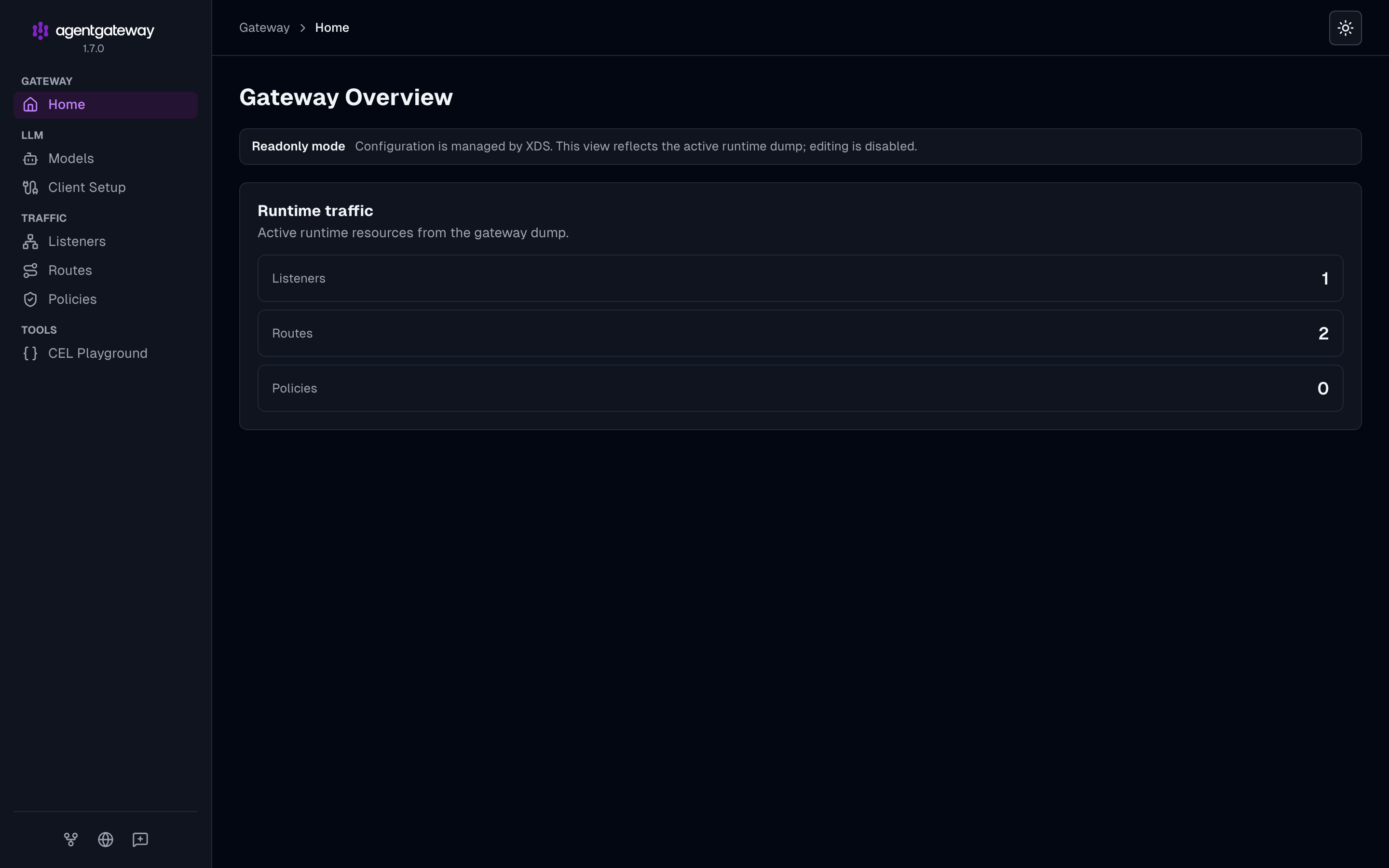
On Kubernetes, the proxy gets its config from the controller and reports its mode as xds. In that mode the UI shows a “Readonly mode” banner and a fixed, short menu. I checked every value in the v1.7.0 Helm chart and the proxy config schema, and there is no setting that changes it. The pages still work. You have to open them by URL:
http://localhost:15000/ui/llm/logshttp://localhost:15000/ui/llm/analyticshttp://localhost:15000/ui/llm/costs
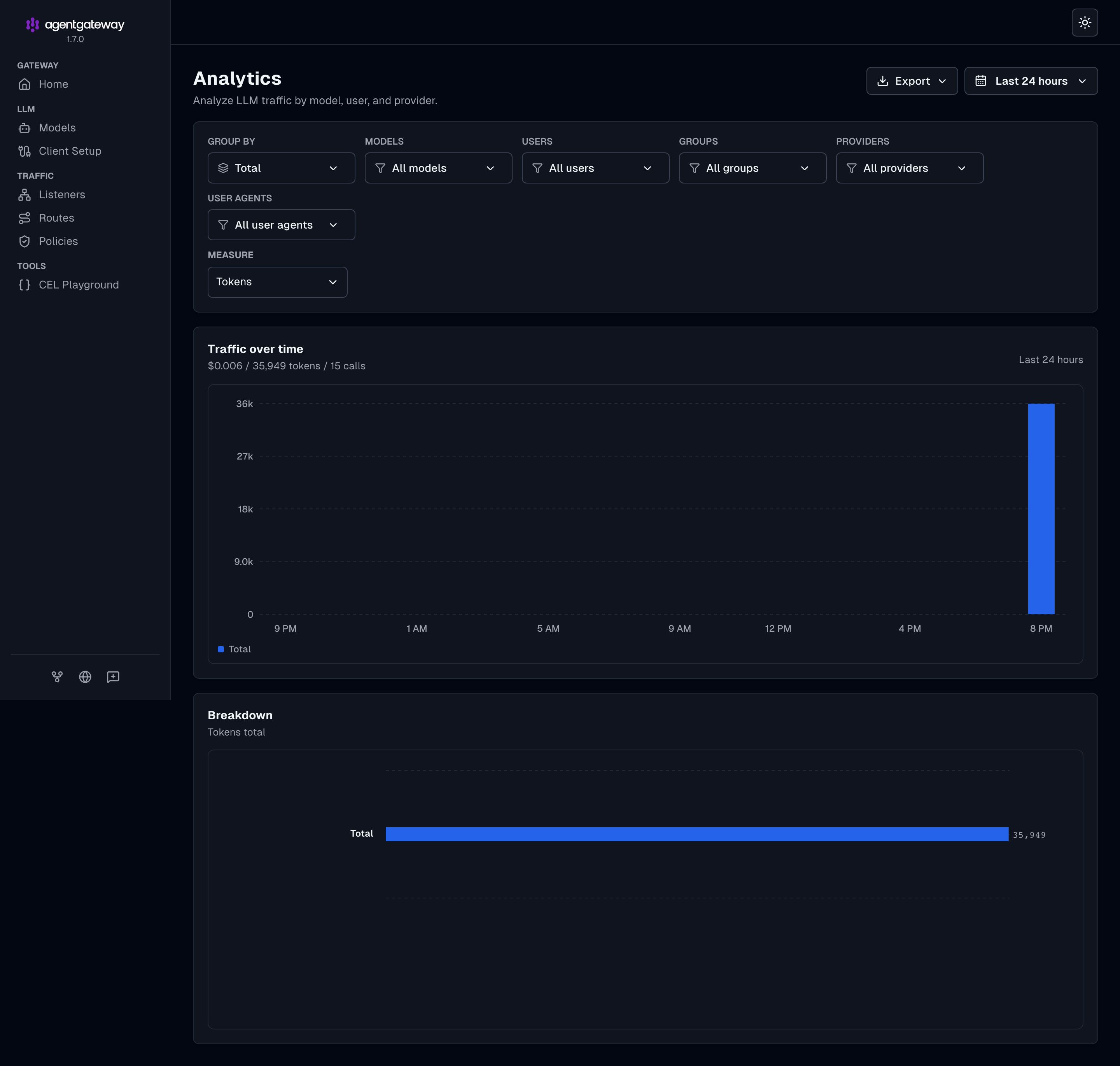
Cost comes from a pricing catalog built into the proxy, with nothing to configure for common models. One Codex turn in my run was 10,084 tokens and about $0.0015. Fifteen calls came to $0.006.
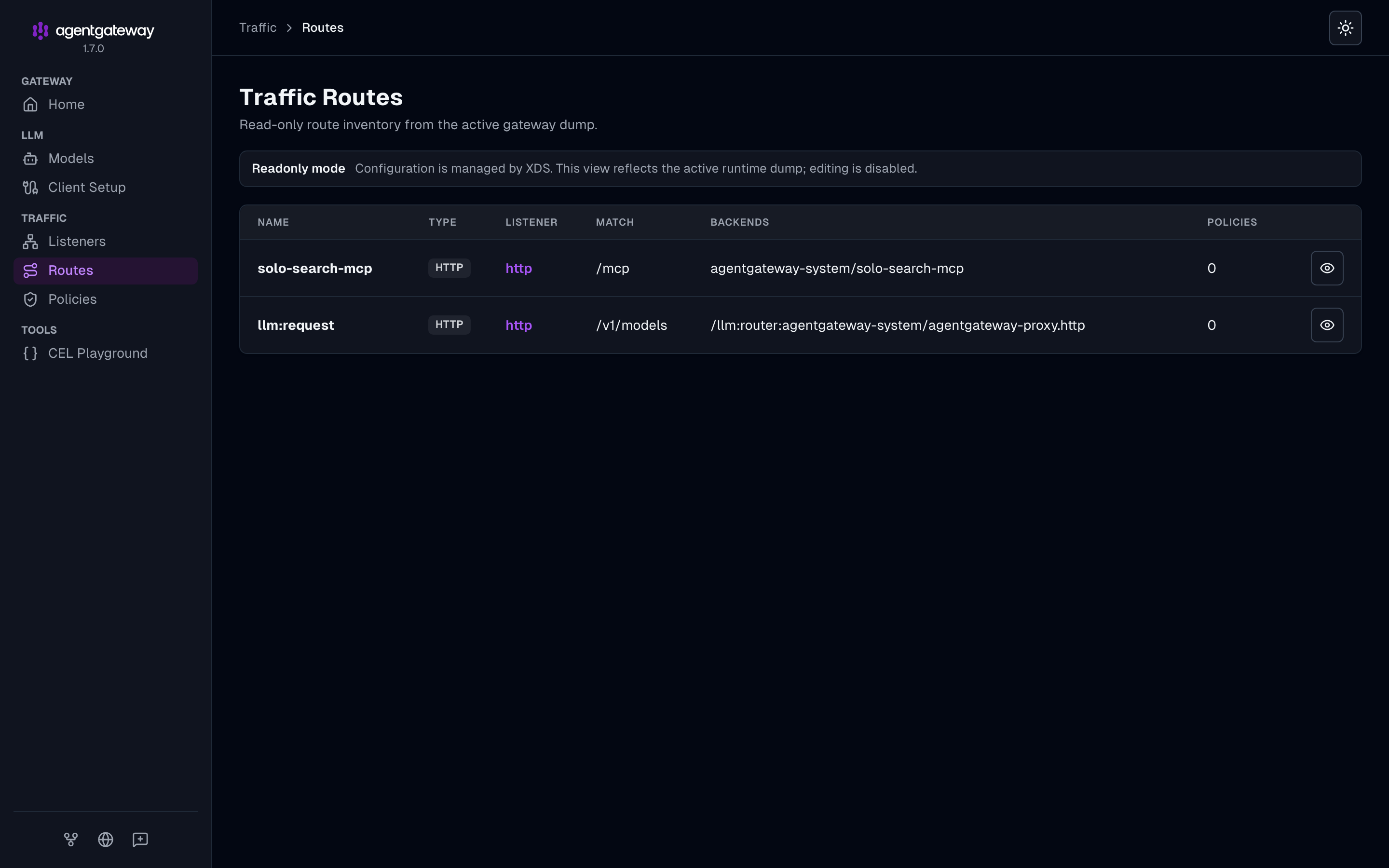
The Models and Routes pages are in the sidebar, and they show what the controller pushed to the proxy:
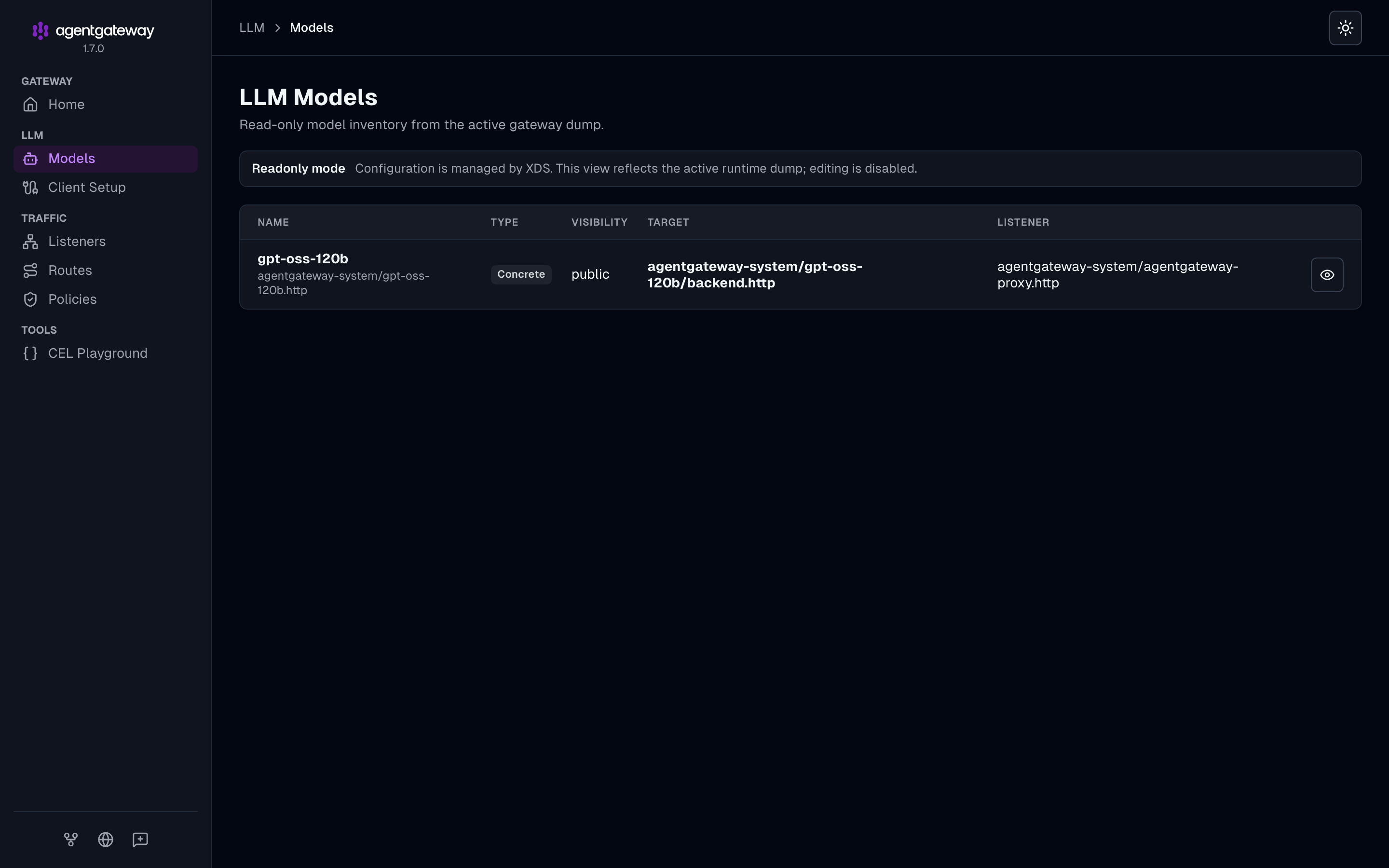
You can also skip the UI and ask Postgres:
kubectl --context $CTX -n agentgateway-system exec agentgateway-db-0 -- \
  psql -U agentgateway -d agentgateway -c \
  'select started_at, gen_ai_request_model, total_tokens, cost, user_agent_name from request_logs order by started_at desc limit 5'
What to know before you rely on this
- Prompts are not stored by default. The log holds metadata only: model, tokens, cost, latency, status and client. Storing prompt and completion text is a separate access-log setting.
- MCP calls are not in the database. Only LLM calls are. MCP traffic is in the proxy’s stdout log, and there is no MCP section in the Kubernetes UI.
- The gateway in this lab has no client authentication. Anyone who can reach the port can spend your Bedrock key, and
--enable-lb-port-mappingpublishes it on0.0.0.0. For anything beyond a laptop, add API key or JWT auth on the listener and setenv_keyin the Codex profile. - The localhost port is random. It changes when cloud-provider-kind or Docker restarts, and the Codex profile has it written in. A
kubectl port-forwardto port 80 of the proxy gives you a fixed one. - There is no log retention setting that I found. The
request_logstable grows until you prune it. - Not every Bedrock model works with Codex. Claude Haiku 4.5 on Bedrock answered plain requests through the same gateway, but Codex failed against it with a 400: Bedrock rejected one of Codex’s tool schemas (
input_schema does not support oneOf, allOf, or anyOf at the top level).openai.gpt-oss-120b-1:0was the one I tested end to end.
Cleanup
rm ~/.codex/agentgateway.config.toml
pkill cloud-provider-kind
kind delete cluster --name agentgateway-codex
Deleting the cluster deletes the Postgres volume and the logs with it.
Where to go next
The repo has the same build as a 13-step README with all five manifests and a Playwright script that regenerates the screenshots: sebbycorp/agentgateway-oss-k8s.
Related posts:
- Connect Claude Code & Codex through agentgateway, for the subscription passthrough and direct API key patterns
- The agentgateway cost and tokenomics dashboard, for more on the analytics pages
- Claude Code on Amazon Bedrock with short-lived credentials, for the same idea with real client authentication